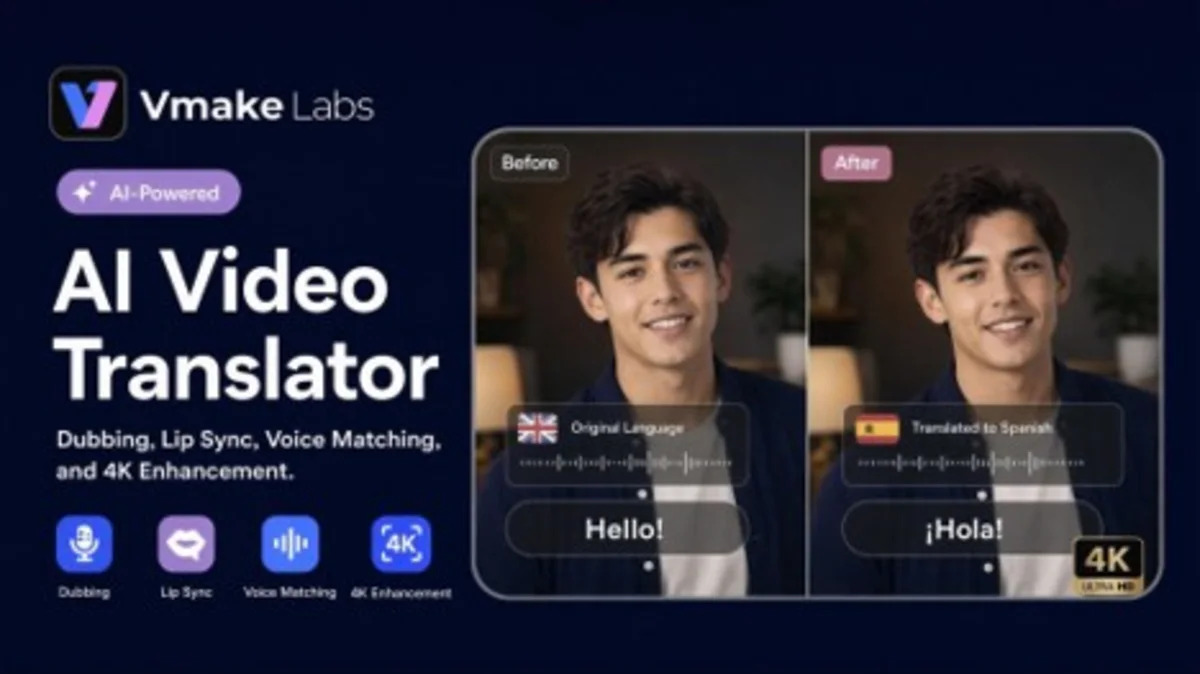
SYDNEY, June 29, 2026 (GLOBE NEWSWIRE) — Vmake Labs, the AI social video studio, announced AI Video Translator, a specialized workflow that enables creators, marketers, e-commerce teams, and video studios to convert existing content into multilingual versions without having to create it from scratch.
The system incorporates translation, dubbing, audio consistency, lip sync, and video enhancement into a single workflow through an editor.
Where video localization breaks down in production
Almost every team working with video content faces the same problem. Videos that perform well in one market often have to pass through multiple tools such as subtitles, audio, sound, timing, and visual quality before being published. In most cases, these tasks are handled separately using specific tools, making localization even slower and harder to scale.
E-commerce brands are repurposing product videos across their marketplaces. Creators distribute their content to audiences around the world. Marketing teams launch multilingual campaigns. Each version works with disparate tools that are not integrated, resulting in longer turnaround times and rework.
From video translation to localized distribution
Vmake AI Video Translator follows the stages typically involved in video localization. Users can first translate the video into another language and then remove existing subtitles or replace them with translated captions. This workflow can effectively generate translated audio, apply audio matching or audio cloning if needed, and use lip sync to match and adjust the audio to on-screen delivery. Once localized, you can also increase video quality up to 4K before exporting.
The workflow remains modular. Teams can choose features based on their project needs. Some focus on translated captions, while others combine dubbing, voice matching, and lip-syncing for complete video localization. This structure supports both rapid updates and a more complete production workflow without changing tools.
Key features behind the workflow
This product is built around three distinct shifts in how video localization is handled.
Subtitle management built into localization
Teams can remove original subtitles, replace old captions, or add translated subtitles as part of the localization process without having to switch to another tool to handle caption updates separately.
Dubbing and audio personalization
Translated audio can be generated directly within the workflow, with audio matching and audio duplication options available to maintain continuity between language versions. You can also choose multiple voices depending on your content style and project requirements.
On-screen speaker lip sync
For interviews, tutorials, product descriptions, and creator content, you can apply lip sync to better match translated audio and visible mouth movements, making localized versions feel more natural to your audience.
Translate and enhance in one production flow
Video quality can be increased up to 4K while localization is complete, allowing teams to prepare translated versions and visual upgrades within the same production process.
Controls that adapt to your project
Teams can choose the workflow that fits their needs, from subtitle translation for short clips to a complete localization process with dubbing, audio matching, lip-syncing, and video enhancement.
The platform supports a wide range of cross-translations in 14 languages, including English, Spanish, Brazilian Portuguese, French, Chinese, Russian, Japanese, Korean, Arabic, German, Thai, Indonesian, Italian, and Vietnamese.
Built for content teams, creators, and brands
Different teams work on localization with different goals. This allows you to adapt your workflow to a wide range of content formats and production needs.
e-commerce team
You can adapt existing assets to multiple language versions without spending a lot of effort recreating the original work. This includes localized product demos, product descriptions, paid social ads, unboxing videos, and trending product content for international markets.
creator and video studio
Create multilingual versions of your tutorials, interviews, podcasts, YouTube videos, explainers, and short-form social content. It also extends to subtitle translation, dubbing, voice matching, lip-syncing, and enhancement, which can be managed as part of the same localization process.
content team
Extend the value of your existing video library by creating regional versions for different markets and platforms. The good news is that with a few changes, teams can replace outdated subtitles and narration, update existing assets, and breathe new life into previously published content for new audiences. This doubles your productivity.
marketing team
Create localized versions of your campaign videos while maintaining message consistency across regions. You can adapt the same creative assets to different languages, platforms, and target different markets without wasting time.
“Most teams don’t suffer from a lack of content; the challenge lies in the workflow,” said Shiny, Product Lead at Vmake. “They already have videos that perform well. The challenge is converting those assets into localized versions that can serve different audiences without adding production complexity.”
About Vmake Labs
Vmake Labs is an AI social video studio that helps businesses, marketers, and creators create, enhance, and optimize social videos that sell. The platform continues to offer a suite of AI-powered tools for video production and content localization, including video enhancement, UGC video generator, AI video translator, watermark removal, and other workflow tools designed to help teams create and adjust content more efficiently.
Photos accompanying this announcement are available at https://www.globenewswire.com/NewsRoom/AttachmentNg/a40a5e89-aefb-421b-a210-b52fe4cfde86.