AI is now everywhere. Like it or not, Pandora’s box is open and cannot be closed. People and businesses already rely on AI agents to do real work in the real world, and much of that work is done through the same websites that humans use. To facilitate that, Pierce Freeman Open source Rotunda for AI agents. but why?
One of the biggest selling points of AI is that agents can work with the same tools we build ourselves. For example, if you’re using Claude to help you code, you can load the Claude agent into Visual Studio Code and have it work in parallel. With that in mind, it seems strange to create a web browser specifically for AI agents.
But from a practical point of view, it makes sense. AI agents need information to do their work, and most of that information can be found on the internet. However, developers have gone to great lengths to prevent automatic access to their websites and services. It also catches the AI. As a result, AI agents are crippled by something as simple as a CAPTCHA.
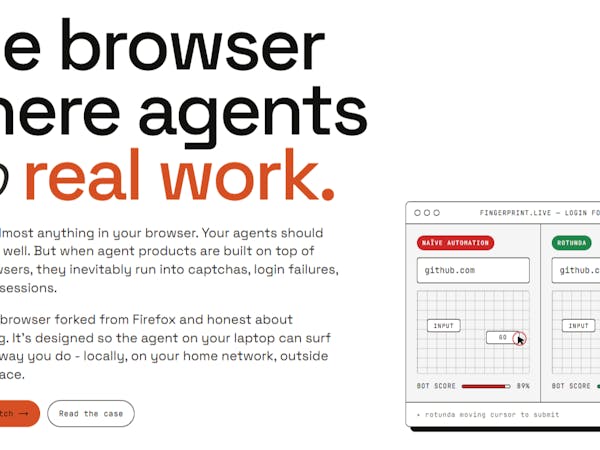
The Rotunda browser is a fork from Firefox that implements methods to make the automated behavior of AI agents appear more human-like. It is not intended for large-scale web crawling or scraping. Rather, Freeman created it for a single AI agent to act on behalf of an individual, such as an individual developer using Claude.
Broadly speaking, Rotunda does two things. One is to avoid anti-automation checks, and the other is to optimize the “display” of the LLM. This workaround is done by humanizing mouse and keystroke behavior. This basically means making them slow and imperfect (like humans). Optimization is done by considering how LLM “sees”. There is no point in rendering pixels on the screen, so Rotunda does everything possible to feed the text directly to the LLM.
If you find it useful, you can download Rotunda from GitHub. Once installed locally, the AI agent can access it via a simple CLI.