
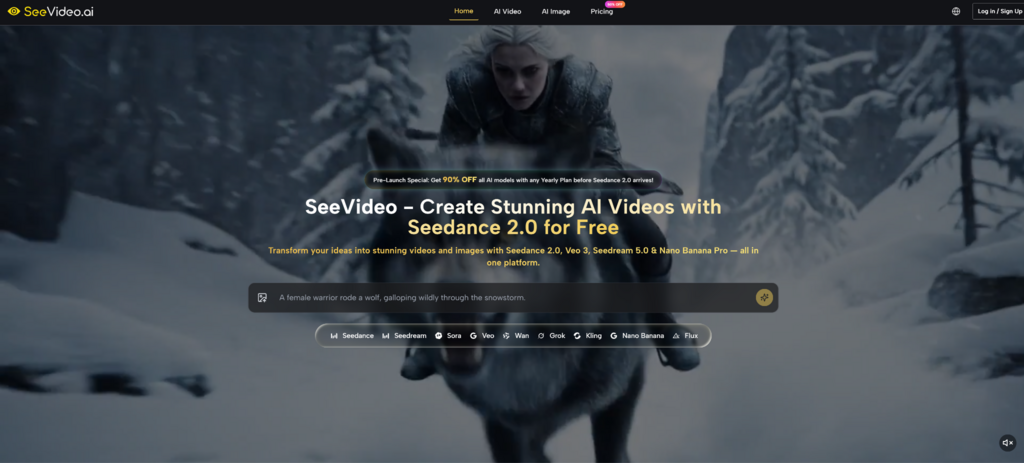
A surprising number of video productions fail before production even begins. Teams hold back not because they don’t have enough ideas, but because they can’t test them fast enough to determine which direction is worth their time, budget, and attention. That’s there Seadance 2.0 Things get interesting inside SeeVideo. Convert early thinking into visible movement fast enough to make creative decisions faster with less friction and less reliance on traditional editorial-first workflows.
It’s not just speed that makes this worth considering. In my observation, the more important change is psychological. As platforms allow text, image, and even voice-guided generation within one workspace, the task changes from “Can you create this?” “Which version is actually worth producing more of?” This is a more real question for modern creators, especially as the amount of content continues to grow and the attention window continues to shrink.
Why video bottlenecks occur before editing
Most people think that post-production makes video creation difficult. In reality, deceleration often begins earlier. The team has an idea, but no quick way to test tone, rhythm, transitions, or visual direction. That uncertainty creates delays. By the time a direction is approved, the content is often no longer as timely as it was when the idea first appeared.
SeaDance 2.0 AI Video The structure suggests a different logic. Rather than treating generation as a novel layer on top of production, we treat generation as the first serious filter for decision-making. The platform’s core video engine is centered around multi-scene generation, audio input support, and flexible starting points such as text prompts and images. This makes it important to test motion as part of the concept stage rather than as a separate effect.
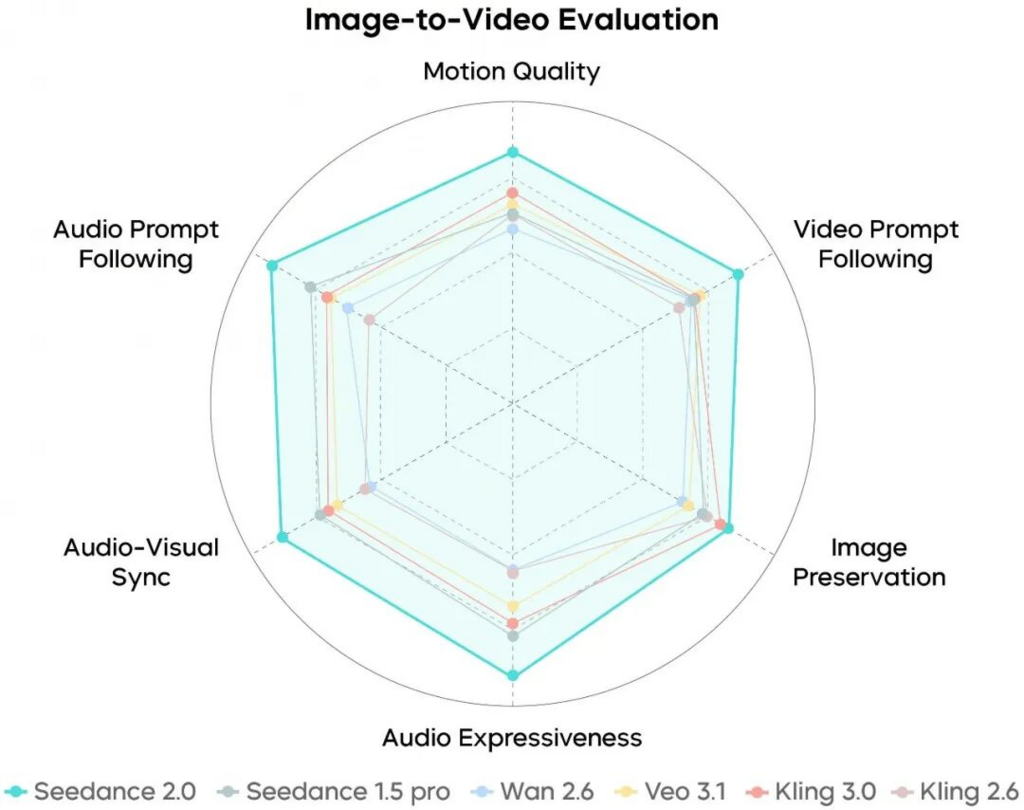
Platform accepts various starting materials
One useful detail on the official page is that users are not forced into a single workflow. Depending on your project, you can start with text, uploaded images, or audio-supported generation. For people who work in a variety of ways, this is more important than you might think.
Some marketers think in terms of campaign copy. Some creators think in terms of key visuals. Some editors place more emphasis on sound and pacing. Platforms become more practical when they accept materials that people already know how to create. This lowers the barrier between ideas and initial output.
Multi-scene output changes the nature of testing
This platform has a special focus on multi-scene generation, which is one of the most important details on this page. Many AI video tools can create impressive single shots, but that single shot doesn’t necessarily help you assess whether the broader concept works.
If scenes can connect and transition, you’re testing something more like a narrative structure than just a single motion. In my opinion, this makes the system even more useful for actual planning. We’re not just asking if the frame looks impressive. We are asking whether the concept can be realized as a sequence.
Why SeeVideo feels like a creative workspace
Many AI tools are built around a single model, which makes them feel narrow. SeeVideo seems to be organized around a broader workflow. Its official materials place the core video engine alongside other models useful for realism, cinematic storytelling, artistic style, or fast drafting.
This model range yields important results. That means users aren’t locked into one visual answer. Instead, you can choose based on the true purpose of your project.
Different creative goals require different engines
The platform itself makes a clear distinction in its description. One model is better for working with multiple scenes. The other is said to be strong in photorealistic images using native audio. The other is more cinematic. The other is configured as a faster, more cost-effective option for simpler, high-volume tasks.
This is a healthier way to present AI generation. I acknowledge that creative work is full of trade-offs. The best outcome depends on whether you value realism, speed, story structure, or experimentation the most. We tested tools in this category and found that the platform gains value by allowing users to choose the right compromises, rather than promising perfection in every direction.
Reduce creative guesswork by comparing outputs
The official page also describes the platform as a place where you can compare outputs between models. This is important because creative decisions are usually improved when they are visualized. Teams often disagree on abstract points, but seeing two or three reasonable outputs side by side can make decisions faster and clearer.
Verifying variations changes approval dynamics
In many content environments, approval is delayed because stakeholders are responding to imagination rather than evidence. When compared side by side, the difference narrows. It doesn’t remove differences in taste, but it gives people something concrete to discuss. That alone can make the platform more useful than one that just generates a single result and asks the user to accept or reject it.
What actual workflows look like on the platform
Official documentation conveys the user journey fairly directly. Its simplicity is part of its appeal. You don’t need a large production structure just to explore ideas.
Step 1 begins with a prompt or image
The process begins with a text prompt or an uploaded image. Here, users define the scene, visual style, or motion they want to explore.
Choose the most relevant model in step 2
The next step is to choose a model based on your project. The platform recommends starting with the main engine for most projects and moving to other options if photorealism, cinematic storytelling, artistic style, or faster draft generation is a priority.
Step 3 generates the first usable sequence
Once the orientation and model are selected, the system generates the video. The official page describes this as a fast process, often completed in a short period of time, depending on the number and complexity of the scenes.
Step 4: Refine through repetition
If the first result doesn’t feel right, the platform encourages iteration. Users can modify prompts, change models, add reference guidance, and rerun concepts until the instructions become more useful.
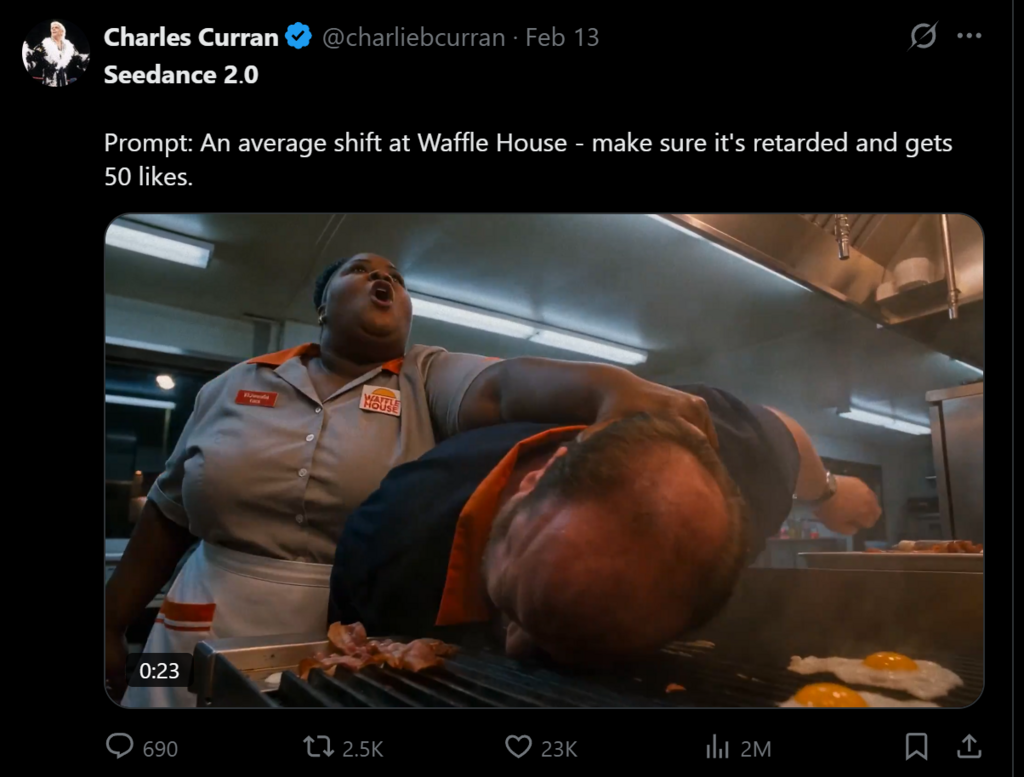
This is where it’s most useful in your daily work
Examples of this platform include social media, marketing, YouTube, movie-related tasks, and e-commerce. These are sensible categories because they all depend on display speed, version control, and output flexibility.
Social and marketing teams benefit from faster testing
For teams that publish frequently, the most difficult problem is not being able to create a single great video. It creates enough options without slowing down the calendar. Systems that combine fast generation with multiple model selection are particularly useful in that environment.
Instead of debating concepts for days, teams can generate options, compare them, and move forward with a stronger awareness of what’s worth polishing. This shortens the distance between reaction to a trend and actual publication.
Expand your visual range for product and commerce work
The e-commerce use case also makes sense. You don’t necessarily need a full traditional shoot to test your product presentation ideas. In some cases, companies just need to see how their visual direction is moving before making a larger investment. In that context, power generation becomes a way to reduce uncertainty, rather than replacing all existing production.
How platforms balance tradeoffs
The most useful way to understand a system is not to ask whether it does everything. It’s about asking what each part is optimized for.
| Creative priorities | What the platform cares about | why is it important |
| connected storytelling | Multi-scene generation | Suitable for structured sequences rather than isolated clips |
| Speed up idea generation | fast processing time | Useful when timing is more important than perfection |
| flexible input | Workflows that support text, images, and audio | Compatible with different creative habits |
| Output comparison | Multiple models in one workspace | Enabling teams to make decisions visually rather than abstractly |
| reproducible consistency | Reference guidance and selected frame controls | Helps maintain brand and character |
| Commercial deployment | Commercial rights and no watermarks on output | Make the generated work easier to use in real projects |
Things users should keep in mind
It pays to be honest about your limitations. Such platforms speed up decision-making, but do not eliminate judgment. Better prompts would yield even better results. A stronger creative direction is still important. And the first generation is not necessarily the last generation.
Quick quality still shapes the ceiling
There’s a reason the official page includes example prompts. Detailed prompts improve scene clarity, tone, and consistency. Users who create ambiguous prompts should expect more ambiguous results. This is not a flaw specific to this platform. That is simply the current reality of the AI generation.
Repetition is part of serious work
This site openly admits replays and multiple attempts. That’s a positive sign. In reality, serious creators don’t need a magic button. They need a faster path to deliverables worth keeping. It’s a more reliable promise.
Model selection requires some learning
The platform offers multiple engines, so there is still a learning curve. The faster option is not necessarily the richest option. Options like movies may not be the best choice for product content. Realistic options may not be ideal for stylized campaigns. Although the platform provides users with scope, scope still requires judgment.
Why this creative model matters now
What stands out most is that SeeVideo treats video generation as part of decision-making, not just production. That’s a meaningful change. This suggests that AI video tools may be most valuable not when they replace all traditional processes, but when they reduce uncertainty at the very moment creative teams decide what to make next.
So this platform feels timely. It’s less about spectacle and more about practical momentum. In a content environment where speed often dictates relevance, the ability to move from a high-level concept to a visible sequence may be more valuable than an infinite ability that doesn’t actually help everyone make decisions quickly.



