
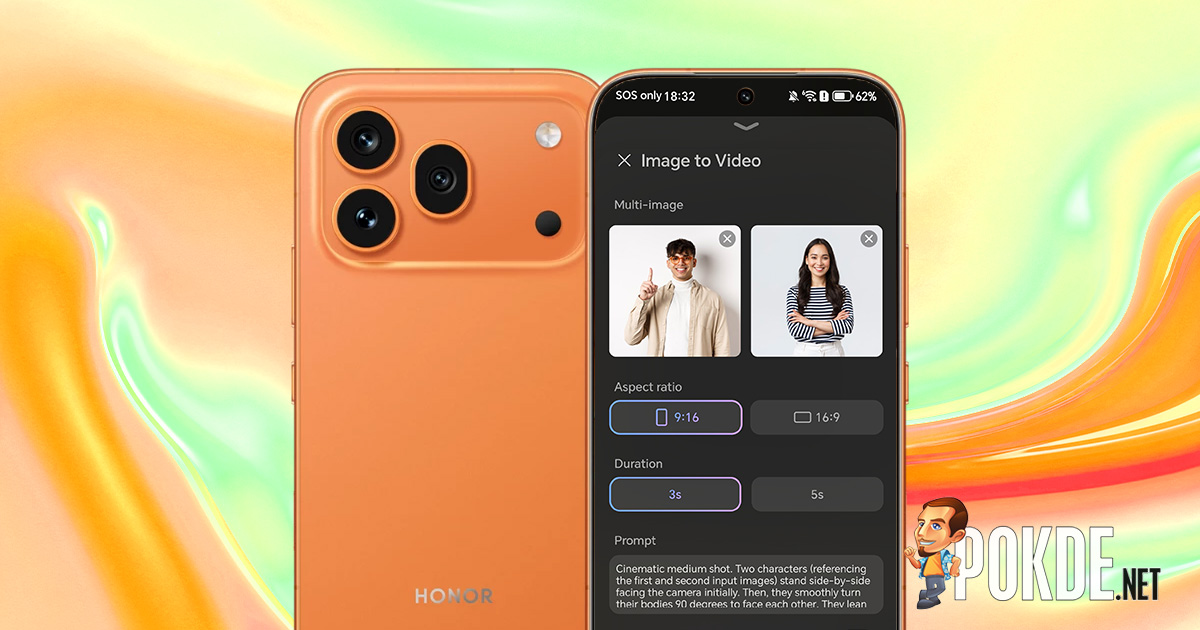
- AI Image to Video 2.0 test HONOR 600 Pro
- Wait, has anyone thought about the implications of that?
Last year, HONOR came up with the crazy idea of giving users a feature that can best be described as an AI slop generator when they launched the HONOR 400 series. Smartphone makers officially call it “AI Image to Video,” but at the time it was only capable of converting still images into semi-animated clips, which apparently didn’t look convincing to the trained eye.
So, naturally, this model has been improved and with the upcoming launch of the HONOR 600 series, the company is introducing a second version, aptly named AI Image to Video 2.0. Even when OpenAI Sora had to shut down, I think there was still a lot of extra capacity in the world’s massive data centers to generate slop. Of course, if all you can do is flood a small niche of people obsessed with AI slop with dopamine, you’re not going to benefit.
AI Image to Video 2.0 test HONOR 600 Pro


The newly updated features include multi-image to video conversion, custom prompts, new presets, and more. As before, this feature comes from the built-in Gallery app.[作成]Tap the tab and click the large button on the screen.[画像をビデオに変換]You can access it by tapping the button. From that point, you choose a preset, select a specific number of photos, customize output settings (and specific prompts if needed), and let HONOR’s servers handle the rest.


Below are some of the presets provided. Some of them are as simple as just one photo, while others require you to input two or three images to produce a result. Requirements are listed directly below the preset description. Here are some examples: All are limited to 720p resolution (1108 x 828 in some cases), and clip generation length is limited to 3 or 5 seconds.
Even though upgrades are intended, the model still requires some tinkering, such as simply re-running the model or changing the prompts to ensure the results are somewhat realistic. Something as simple as a dolly zoom usually has no obvious errors, but a keen eye will notice some pixel artifacts in areas hidden in 3D space of the source image. That’s not all…
Wait, has anyone thought about the implications of that?
Let me quote Dr. Ian Malcolm’s famous quote from the 1993 movie Jurassic Park:
Scientists were so focused on whether they could do it that they didn’t stop to think about whether they should do it.
At this point, even though generative AI has long since been released from Pandora’s box, we still have to question the ethical implications of handing everyone a digital product that effectively amounts to a kitchen knife. If you use it well, it can help you create exquisite dishes, but if you use it poorly, you’ll end up being the subject of the next newspaper headline.


The reason I bring up this analogy is because of an AI Image-to-Video 2.0 preset that HONOR called “The Embrace.” As mentioned earlier, the idea is to combine multiple people from separate images and combine them into a single clip of them hugging each other. Sounds good on paper, but let’s do a thought experiment here. What if this is used against a stranger without permission? Or with malicious intent?
For your reference, I have also extracted the complete preset prompts set by. default If you select this preset (ironically, HONOR’s prompt also asks for 4K footage, but you can only do 720p regardless). Below you can see the generated results and input images to see for yourself. There are no precautions or disclaimers to prevent, or at least clearly warn, someone from randomly stealing someone else’s photo (or the victim’s photo) and turning their prank machine on Instagram.


As with many consumer-facing AI services, there are the usual vague disclaimers that act more like regulatory yada yada than anything substantive. Below is an excerpt of the text found in the User Agreement, located deep in the app settings (or as it appears the first time you activate this feature by tapping on a particular hyperlink).


In addition, we found that watermarks can be disabled at will, and that in all known cases there is no metadata-based watermarking system that identifies files as being generated by AI. (For example, Google Pixel 10 uses AI to tag upscaled photos with such disclosures.) If you need to disable this feature, click the menu button in the top right >[画像からビデオへの無効化]>[確認]You will need to access your gallery settings and disable it.


The truth is that unless predictive policing is involved, which is a whole different can of worms, no one has a way to prevent malicious users from creating non-consensual content (which doesn’t necessarily have to be sexual). We’ve already seen what X’s Grok can do in the hands of evil. In my opinion, that’s what makes generative AI features like this problematic, if not outright dangerous.
I’m probably just yelling at the clouds at this point, and I highly doubt one person’s opinion will change anything since the proverbial giant AI machine will devour the entire human race in tons of slop. I hope we wake up from this madness and realize that we have to draw the line when companies put an unreasonable amount of resources into this, expecting us all to consume it without question.


