
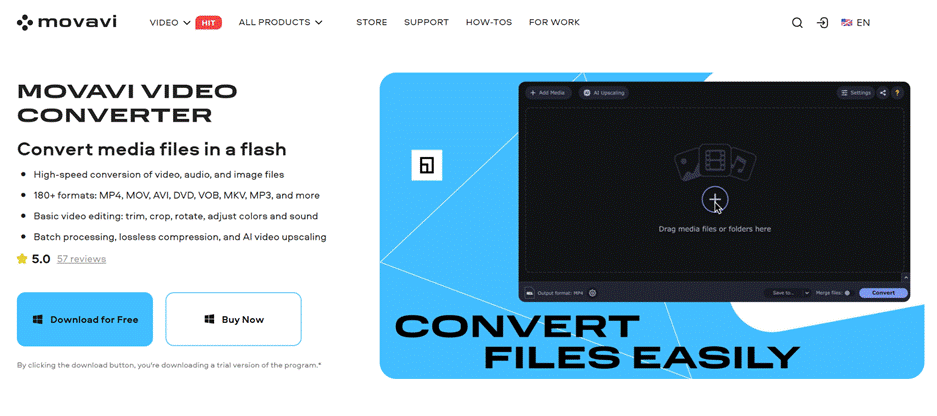
Movavi Video Converter belongs to a category that doesn’t get much attention. Converter apps are typically treated as backup utilities. It’s the app that opens when your file upload is rejected, your device refuses to format, or your video takes up more space than necessary. Movavi is looking to push this category even further.
The current version acts as more than just a format switching app. Movavi is at the forefront of fast conversion, 180+ formats, basic editing, batch processing, lossless compression, and AI video upscaling. This list says a lot about the purpose of the program. It’s built for the tedious parts of content work, like fixing, resizing, cropping, and compressing files, so you’re ready for whatever comes next.
Part 1: Main features of Movavi Video Converter
1.1 AI upscaling to give your app a clear identity
The biggest reason why this software is better than ordinary converters is its AI upscaling. Movavi first added this feature in October 2021 and has since expanded it with faster processing and 8x resolution upscaling.
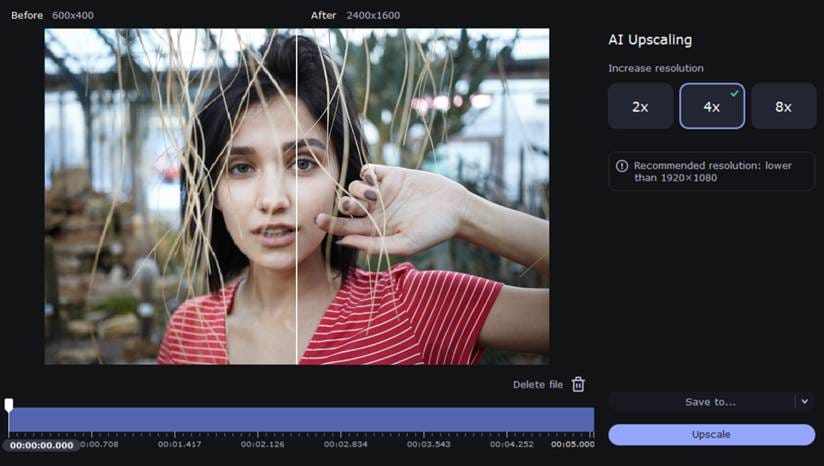
This is important because creators often work with footage that was never intended for a second life. Old phone clips, compressed downloads, archived screen recordings, old camera exports, and repurposed social media assets all tend to appear outdated when brought into a new project. AI upscaling won’t repair all weak source files, nor will it turn really bad footage into a movie, but it can make some old material much easier to repost, archive, or mix into new edits.
1.2 Speed, format support, and batch work
Movavi also focuses on speed, which is the right call for a converter. It offers fast conversion of video, audio, and image files, support for over 180 formats, and batch processing as part of its core feature set. There are also presets for different devices. This is important for users who move files between phones, laptops, tablets, TVs, and client systems. They all seem to want something slightly different.
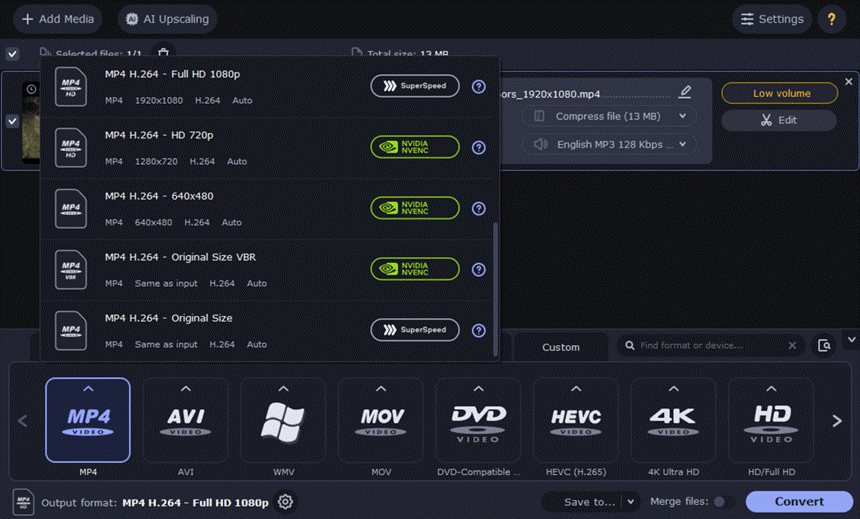
From here, this software starts to look useful in everyday creator workflows. A typical week might include MOV camera files, MP4 screen captures, audio captured to MP3, client requests for smaller copies, or exports that need to work well on a specific device. All this takes time. Converters do their job by quickly handling these repetitive jobs, and Movavi Video Converter seems to be built around exactly that kind of workload.
1.3 Compression and basic editing before export
Movavi also adds compression near the center of the product. Lossless compression is a way to save storage, speed up uploads, and maintain smooth playback without sacrificing quality. Besides that, this app includes a set of easy edits such as trim, crop, rotate, color adjustment, sound adjustment, file merging, subtitle processing, etc.
That combination has meaning. Many users don’t actually need a large editing suite when they open a video app. Need to lighten a file, remove rough sections, or send a cleaner version to a client without opening a large editor? Movavi Video Converter is most powerful when it stays in its lane. Preparatory work is often done between recording and publishing.
1.4 Subtitles, trimming and other useful additions
Some small features help complete the package. Movavi Video Converter also allows for online subtitle search and precise trimming, and its update history shows that over the years Movavi has improved trimming accuracy, still frame previews, accurate time input, and simplified file selection for batch conversion or compression.
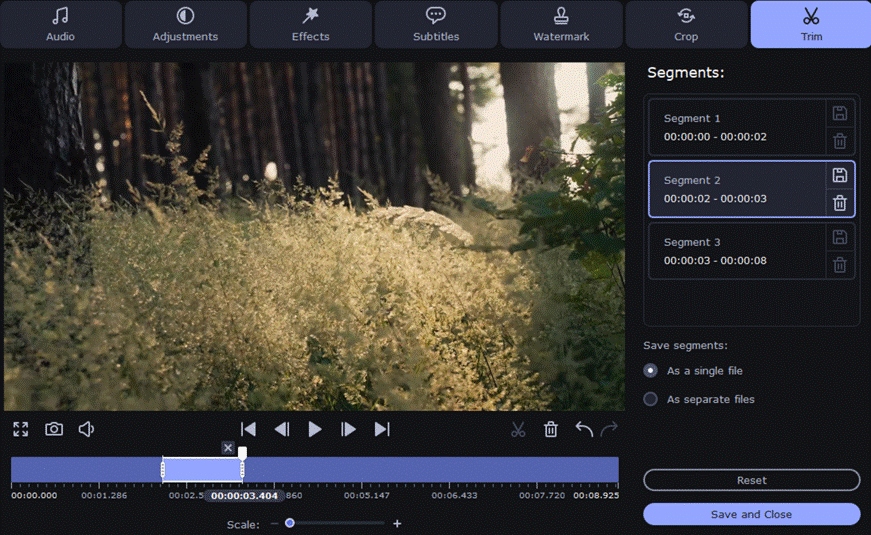
This doesn’t turn your app into a full editor, nor does it need to. These are the kinds of additions that are a natural fit for converter software. These help users prepare files without overloading the interface or turning simple file modifications into lengthy editing sessions.
Part 2: Recent updates and what they actually mean
The official changelog gives a pretty honest picture of the current status of Movavi Video Converter. Version 24.4.0, released in December 2025, didn’t have any major new features and was focused on workflow improvements. The March 2025 update fixed a DVD conversion issue. The October 2024 release includes small improvements and bug fixes. The last major update in recent cycles was in October 2023, which may seem like a problem to some users. but…
This will tell you something useful about the software. Movavi Video Converter is not in the midst of a dramatic reinvention. This looks like a mature app that already knows its role and is maintained around it. For some users, it may seem less exciting than a full-featured reboot. However, for converters, this could be a good sign. The core selling points remain the same: speed, compression, batch processing, wide format support, and some additional features to help with file preparation.
Part 3: Where Movavi Video Converter earns its place
3.1 Who is this software suitable for?
Movavi Video Converter makes the most sense for people who handle a steady stream of media and don’t want to open a full editor for every small task. This includes YouTubers preparing footage before editing, marketers compressing distribution files, freelancers converting client assets into a workable format, educators repacking recorded lessons, and regular users looking to make old videos available again. The app also supports video, audio, and image conversion, which is useful if your workflow moves between multiple media types.
There is also a place for users who work with DVDs and local media, but there are important limitations. The software does not convert copy-protected media files or DVDs.
3.2 Where Movavi Video Converter works well
Movavi Video Converter is likely to be preferred when the job is practical and specific. It’s fast, supports a wide range of formats, and is built around tasks that occur over and over again. Compression tools and batch processing are useful. AI upscaling gives your app more personality than many converters have. Quick edit features are a good size to trim, crop, merge, and clean up your files before moving them elsewhere.
Movavi Video Converter feels easy to place in your setup because its role is very clear. This is a helper app for preparing, converting, and cleaning up files, and is not a replacement for full-fledged post-production software.
3.3 Inadequacies
Recent updates have been pretty modest, so anyone expecting a ton of new tools for creators may be disappointed. There are limits to the editing side as well. You can do some useful preparation work here, but you’ll be working with a converter first rather than a full timeline-based editing environment.
The free trial also has limitations such as a 7-day period, watermarked output video, half length limit for audio conversion, and half length limit for SuperSpeed video conversion. These limitations are normal enough for trial software, but they affect how well you can judge a program before paying.
Movavi Video Converter in 2026: Worth it or not?
Movavi Video Converter makes the strongest case for itself when you stop expecting your converter to be an editor and start judging it by the job it actually needs to handle. Wrong format, file size too large, too many clips to process one by one, old footage looking grainy on new screens. This app is made to address these issues and covers them well.
AI upscaling helps give software a strong identity, even if its functionality is no longer new. Speed, compression, and batch conversion remain the true backbone of the experience. Recent updates suggest that the product is settling into a stable role, rather than trying to reinvent itself every few months. For creators, marketers, and everyday users who spend a lot of time preparing files before editing and publishing, Movavi Video Converter may be enough to make it worth having on hand.


