
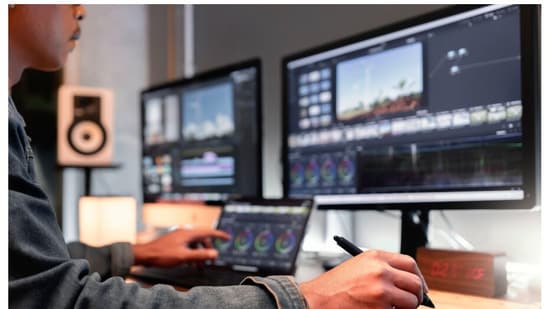
When marketers, content creators, and agency teams are working against tight deadlines, video can quickly become a bottleneck to their strategies. Your team may have a powerful idea that will engage your audience, but getting it into frame can be time-consuming, expensive, and sometimes impossible.

At the same time, viewers are watching more videos than ever before. Social feeds demand that. Without it, your ads will often struggle to perform. If brands want to stay competitive, they can’t afford to fall behind in video production.
What’s the problem? Not every team has the budget or staffing capacity to learn, manage, and execute at such a pace. Teams may find themselves stuck in a never-ending cycle of how to scale video production without losing quality or control. Start AI video generation. AI video generators promise faster production without sacrificing the polished performance that viewers expect.
In this article, we’ll take a closer look at Adobe Firefly’s new AI video generator, detailing how it works, what makes it different, and how you can keep your content both brand-safe and cinematic.
Important updates to video generator
With the latest update to Adobe Firefly, Generate AI video It feels polished, cinematic, and suitable for professional use. One update concerns quality. Lighting, motion, and depth within scenes have been enhanced to make clips feel more natural and dynamic. Shots transition more seamlessly, with no choppy motion like in older versions, and users may notice greater nuances within backgrounds and textures.
Brandsafe presets are another notable addition to Firefly. AI creation can automatically protect your logo, color scheme, and overall aesthetic, so your team no longer has to spend a lot of time making sure every video matches your brand guidelines frame by frame. This can potentially save time for marketers and agencies creating large-scale video content for campaigns and clients that need to maintain consistent branding.
Last but not least is improved workflow integration. Firefly more easily connects with Creative Cloud apps like Premiere Pro and After Effects, so teams can quickly deploy AI-generated assets into their projects. Rendering and import/export processes are faster with more consistent results, allowing teams to iterate on concepts without disrupting existing production processes.
Important points
- Generate AI videos with more realistic lighting, motion, and scene depth.
- Brandsafe presets protect the logo, colors, and style of all your clips.
- Creative Cloud’s seamless integration can help you create and iterate faster.
How Adobe Firefly works
Adobe Firefly helps teams develop creative concepts faster while allowing creative control. This core technology enhances AI-generated scenes based on prompts, concept art, and even still images and animates them into structured, cinematic sequences.
However, it’s not a one-click solution that completely removes the human element from the equation. Users can adjust composition, timing, camera movement, style, and more to make Firefly’s output appear the way they intended. But for teams looking to create video content without weeks of production time, AI automation and manual human input provide a good balance.
Firefly’s custom templates and automation help teams further streamline content creation while maintaining brand consistency across videos. Short-form social clips and long-form episodic content can benefit from automation to handle repetitive tasks like color grading, adding transitions between scenes, and embedding brand logos.
This workflow works on TikTok, Instagram, YouTube’s new creator monetization rules It can influence how and what content your team prioritizes for growth.
Important points
- Transform prompts, sketches, or still images into cinematic animation sequences.
- Human guidance refines structure, timing, and style.
- Templates and automation can help you save time while keeping your content on-brand.
Benefits for creators and teams
Speed is one of the benefits of Adobe Firefly for creators and teams. Relatively fast iterations and built-in consistency across output allow you to scale your video content creation. Your team can ensure that all video clips maintain your brand’s voice, colors, and style. As a result, social posts, web ads, and other digital content can work together as part of a cohesive marketing campaign.
Firefly also makes it easy to output your work in a variety of formats. Whether your team needs vertical mobile video, widescreen format for ads and presentations, or long-form video for storytelling, you can create different versions of these while maintaining an efficient workflow.
This gives creators and marketers more flexibility to be creative and experiment without losing sight of audience needs, platform algorithm demands, and emerging ethical guidelines.
Important points
- Create videos faster than traditional workflows.
- Maintain consistency across social, web, ads, and campaigns.
- Easily output multi-format content for different platforms.
Best practices and tips for creating with Firefly AI
The first recommendation is to keep it simple. Your team may approach Adobe Firefly to add new team members. We provide instructions and guidance to help you get started. Create storyboards, wireframes, or clips to experiment faster. Firefly allows you to create a variety of visual styles, motions, and pacings in minutes (versus hours). Starting with placeholders will help you identify early on what will resonate with your audience and what won’t.
Value may begin to emerge in human collaboration. Firefly can automatically animate objects and scenes and apply finishing styles with the click of a button, but you control the direction. Make sure the story, pace, and tone match your project goals. Users can adjust composition, fine-tune motion timing, and add graphics and captions as desired. Teams that collaborate with AI and allow AI to create fully autonomous projects are likely to see better outcomes.
Take advantage of branded presets and templates. Brand presets allow teams to save logos, colors, fonts, and even style instructions to ensure that every project Firefly works on aligns with brand guidelines. When creating large-scale assets for social media, visuals can often be reused. When used correctly, brand presets help you maintain compliance and ensure your team operates within your brand rules.
Finally, address social media video size limits. Social media leaves no room for dead space, and viewers have short attention spans. By using AI iteratively and making continuous, purposeful edits, your team can: Every second is used effectively in short videos — Make sure your clips quickly capture interest and get your message across before viewers scroll away.
Important points
- Build prototype concepts from simple concepts and iterate quickly.
- Combine human creativity and AI automation for the best results.
- Stay consistent with branded presets and make every second count with short-form videos.
Optional advanced features in Adobe Firefly
Adobe Firefly is not limited to creating only one video clip at a time. Additional advanced features give creators more control with optional extras. These tools include scene variation controls that allow users to create variations on the same concept, eliminating the need to recreate clips to test different visuals, pacing, camera angles, and more. This feature is useful for teams running social media ads or A/B testing different content ideas.
Additionally, Firefly allows users to combine stock assets from Adobe’s stock library with visuals created by AI. Combine existing brand assets, footage, and photos with AI-generated content to produce professional results without complicated processes.
Collaboration tools within Firefly also help teams review output and share input faster. This potentially reduces the need to send files back and forth through extended email chains. Creative teams can iterate on concepts, centralize feedback, and produce content that is approved by team members, from designers to copywriters to marketers.
Important points
- Scene variation controls allow you to test multiple versions of the same concept.
- Integrate Adobe Stock assets with AI-generated visuals for professional results.
- Collaboration tools help centralize feedback and speed approvals.
The future of AI video content
From Adobe’s future product roadmap, we’re likely to see more advanced tools, more realistic scenes, and increased integration with editing and distribution platforms. This could allow content creators and agencies to leverage AI to not only create videos faster, but also explore new approaches to storytelling and brand communication.
Imagine being able to shave weeks or even days off your production workflow. Whether you want to create a rough cut, experiment with different scenes, or create multilingual versions of your video, AI can help you complete these tasks faster. Agencies will be able to scale video production more efficiently, brands will have more control over their content, and creators may produce studio-quality videos on their own.
As generated video technology evolves, it is becoming clear that: AI is shaping the next generation of innovators. By integrating AI into production workflows, teams can operate more efficiently and develop new approaches to reaching audiences and sharing ideas.
Important points
- Smarter AI shortens production timelines and enables multi-format content.
- Agencies, brands, and creators can explore new creative possibilities at scale.
- It frees up creative freedom and allows you to explore concepts that previously took time.
Harness the power of video with Adobe Firefly
Adobe Firefly’s AI video generator introduces new features for video production. Video production workflows are less constrained and content creation cycles can move more quickly. The time from ideation to final video content can be reduced, giving you more bandwidth to focus on your creative strategy. By spending less time overseeing video production, you may be able to spend more time strategizing, storytelling, concepting, and iterating on campaigns.
Firefly also unleashes the creativity of creators. Video concepts that previously required significant time and budget can now be tested more quickly. More manageable tasks can include rapid social media-style prototyping, developing experimental advertising concepts, finalizing presentation edits, or preparing branded social videos.
Adobe Firefly is fast, but brand safety is also an important focus. Automated brand management, templates, and presets help your team ensure all video clips align with brand guidelines, reduce risk, and support consistency across campaigns.
Adobe Firefly allows teams to scale video content production like never before, without sacrificing quality or professionalism.
Note to readers: This article is part of Hindustan Times’ Promotional Consumer Connectivity initiative and is uniquely produced by the brand. Hindustan Times does not take editorial responsibility for the content.


