Software companies seem to want to put AI into everything, but many creative people want tools that don’t use AI. I am one of them. I’m not against AI in any way. I use AI tools in my music and found AI-based transcription to be a godsend (when you strip it down to its building blocks). But as a professional writer and author, generative AI is a no-no for me for multiple reasons.
A big problem for me, and for many other writers, is that genAI’s writing is partially based on copyright infringement of our books. Some of my own books and those by author friends of mine are included in the Anthropic dataset (and since I’m not in the US, I’m not eligible for the $1.5 billion settlement obtained in the class action lawsuit against the company).
1. LibreOffice (Windows, Mac, Linux)

I know that the free, open source, classic Microsoft Office alternative isn’t the prettiest suite of apps out there. However, it is a very good place to write your words because you don’t have any distractions and can concentrate on the words you are writing. With a master document, even large writing projects can be broken down into manageable chunks. There’s a navigator that shows all uses of the H1 heading style, so you can easily find your way between chapters. It also runs locally, not in the cloud, so it’s always available even when Wi-Fi isn’t available.
2. Beats (Mac, iPad)

Created by screenwriter Lauri-Matti Parppei for other screenwriters, Beat is a clean, easy-to-understand, and lightning-fast writing app with an outliner, distraction-free writing, great file format support, automatic formatting, and a library of plugins that extend its functionality on Mac. The Mac version is free and open source. Proceeds from sales of the iOS/iPadOS version will help keep Paruppei’s lights on.
3. Ulysses (Mac, iPhone, iPad)

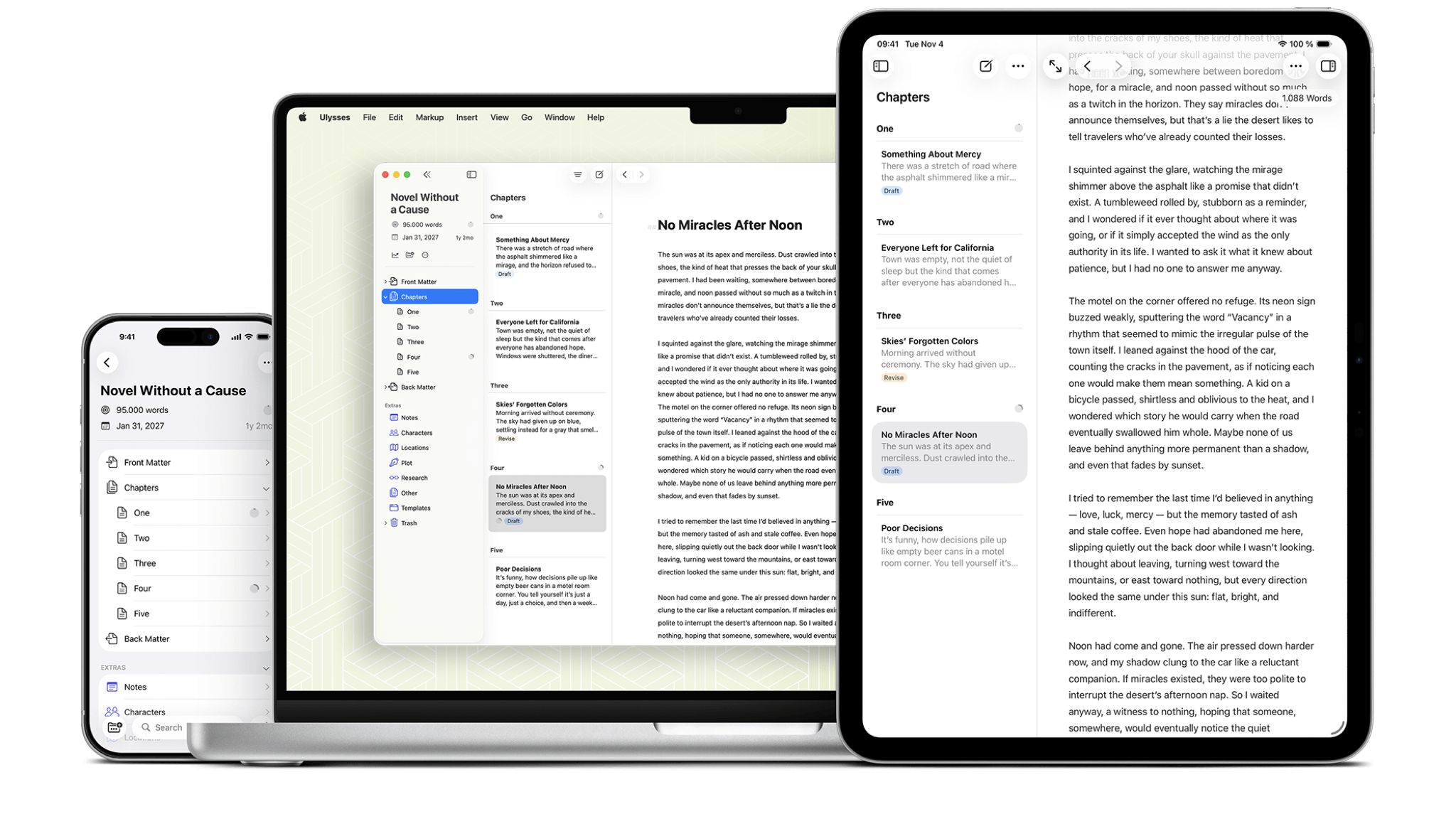
Ulysses has been my go-to writing app for years now. It’s a Markdown-based writing environment that runs very fast and has minimal functionality. I like it so much that I wrote an entire article about how good it is. One of its best features is the ability to export your work to just about anything, including content management systems, blogging platforms, ebooks, and all major text and document formats. It is highly customizable and has few system requirements. Working in plain text (which is effectively Markdown) won’t break a sweat on even the most modest Mac. It is also compatible with iOS/iPadOS and syncs via iCloud.
4. iA Writer (Windows, Mac, iPhone, iPad)

Like Ulysses, iA Writer is a bare-bones, super-fast writing environment with great export options, but while the app itself doesn’t use AI, which is why we’re including it here, its creator has an interesting approach to the technology and has written extensively about it. Rather than integrating AI writing tools into their apps, they describe their solution as a problem to be solved as AI becomes more ubiquitous, and they call it Authorship. Author permissions are in the Mac, iPhone, and iPad versions of the app and can track changes made by things like Apple’s AI writing tools, as well as text copied from third-party generated AI.
5. Scrivener (Windows, Mac, iPhone, iPad)

I’ve written entire books in Scrivener. That’s what this app is for. In addition to being a writing tool, it’s also great for organizing research and ideas, so you can save notes about characters, photos of locations you want to use, snippets of information you want to include, and anything else related to your book within the app. It’s overkill if you just want to write short pieces, but if you want an app that can take you from the first blank page to a fully finished manuscript or e-book, Scrivener is the way to go.
6. Story list (Mac, iPhone, iPad)

Storyist is a great-looking and very friendly writing app aimed at novelists and screenwriters. It includes some great tools to help you create your masterpieces, including snippets of commonly used text, printable PDF output, a great outliner, and a wide selection of customizable style sheets for specific types of publications. It’s very similar to Scrivener, but looks a little less intimidating.
7.yWriter (Windows, Mac, Android, iPhone, iPad)

yWriter undertakes not to write novels, suggest plot ideas or perform any creative tasks. It’s a lean writing app that encourages you to think about your story in terms of scenes rather than chapters, and to use metadata (project notes, objects used in the scene, which character’s perspective is used, whether the scene is a draft or completed, etc.). The Mac app is still in beta and has now been discontinued, but if you have an Apple Silicon Mac you can run the iOS version.
Follow TechRadar on Google News and Add us as a preferred source Get expert news, reviews, and opinions in your feed. Be sure to click the follow button!
Of course you can also do Follow TechRadar on TikTok Check out news, reviews, and unboxings in video format and stay updated regularly. whatsapp Too.

The perfect business laptop for every budget