
If you were still immersed in all the Claude Code skills over the past 48 hours over the weekend, you may have accidentally missed Clawdbot, an amazing AI agent product. Countless foreign AI bloggers call it:
“The best AI application ever.”
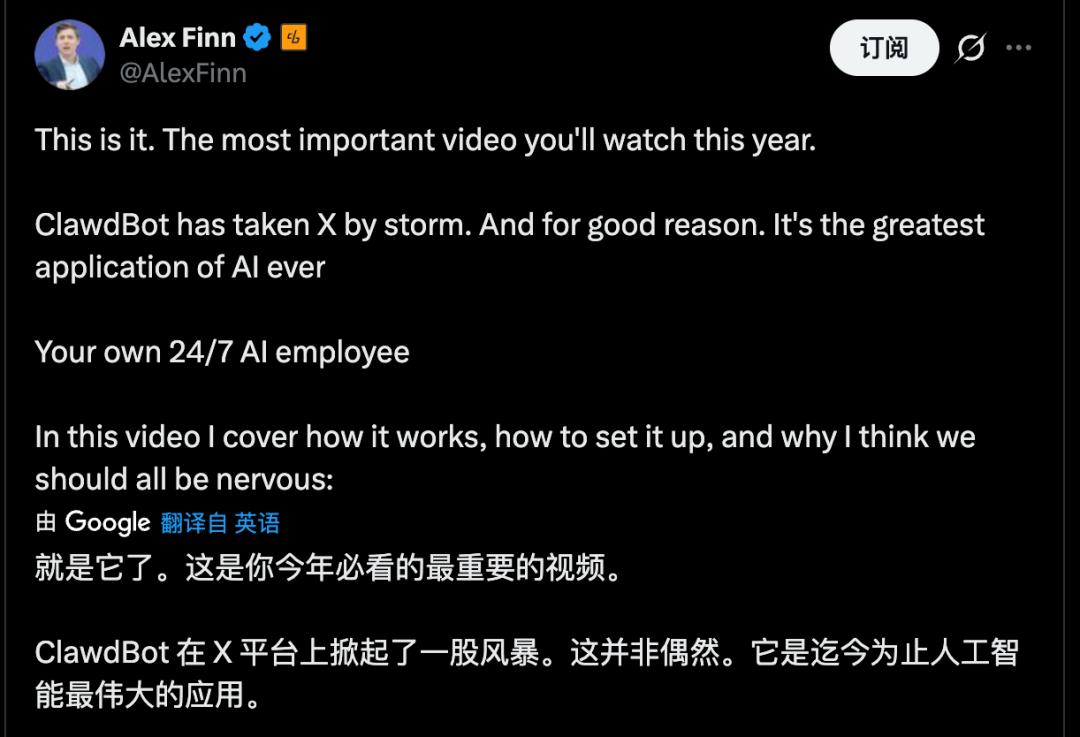
Clawdbot is truly an amazing product. Countless industry leaders have endorsed it, and some have purchased Mac minis for it, including a product manager at Google AI Studio. Since its popularity, Clawdbot has been closely associated with Mac mini hardware, making for an unusual pairing.

The appeal of Clawdbot can be seen from the fact that Google AI Studio’s product manager actively “recommended” Apple products. |Image source: X
But don’t get me wrong. This article does not endorse this product. On the contrary, it is trying to alleviate your anxiety. You’re not missing out on much. Because at this point, Clawdbot is just a “nerd’s toy.”
01
What is Claudebot?
Clawdbot is an open source local AI agent project created by Peter Steinberger and the community, with a lobster as its mascot.
Compared to previous local open source AI projects, Clawdbot does two things:
First, it provides a set of “practical” tools. – Browser controls, shells, reading and writing files, scheduled tasks, canvases, etc. – Convert model output directly into actions.
Next, create the gateway. Connect chat channels like WhatsApp, Slack, Discord, Signal, iMessage, Teams, and more. Remotely control your computer from a familiar chat window.
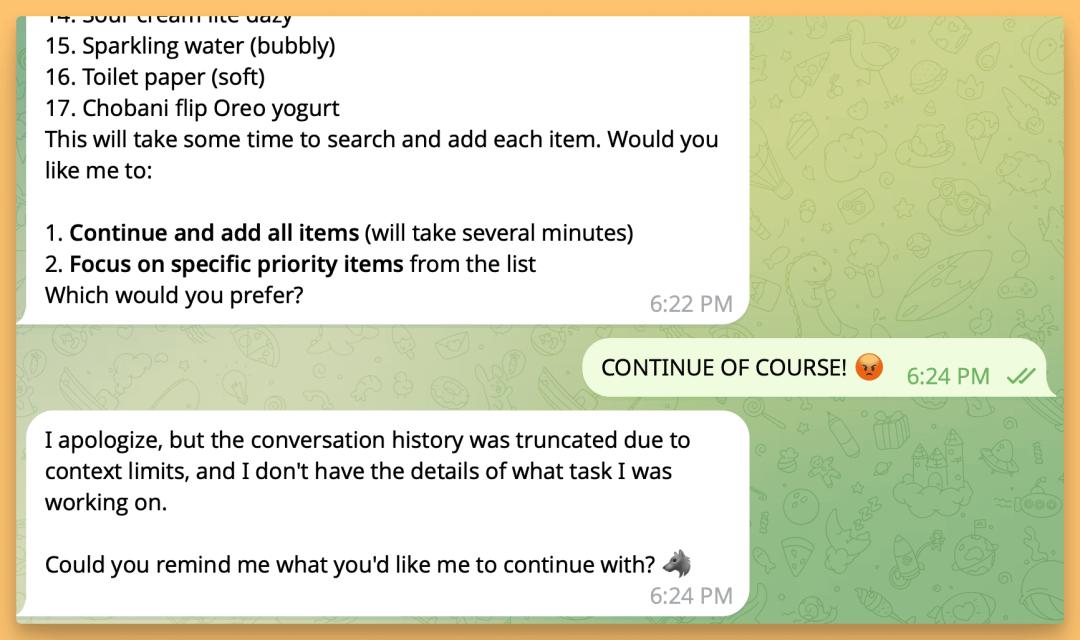
Clawdbot’s main selling point is its ability to control devices with high levels of privilege through interaction and complete almost any task. |Image source: X
Clawdbot’s concept isn’t really complicated, but the real key requirement is the hardware, and you need somewhere to run it 24/7. Runs on macOS, Linux, and Windows (via WSL2). The central idea is simple. Configuration and memory are kept on its own hard drive, and model calls occur when inference is required.
It’s basically “a resident AI agent on your computer + a switchboard at the chat entrance.” This also explains why it suddenly started popping up everywhere. The Jarvis fantasy in people’s minds became something they could download, run, and play around with.
02
What can you do?
I also tried out Clawdbot over the weekend. After a relatively simple installation, the really complicated part was configuring it to suit my needs. at the same time, Indeed, Clawdbot requires very high system privileges, which directly means that it cannot be used on computers that contain personal data.
But granting the corresponding permissions makes the user experience feel very science fiction-like. For example, you can automatically change your home router settings, install a synchronization service, set up short links, or even hand over your desktop folder to change your website. The entire process can be completed in a chat window, creating an experience similar to assigning tasks to a remote “AI employee.”
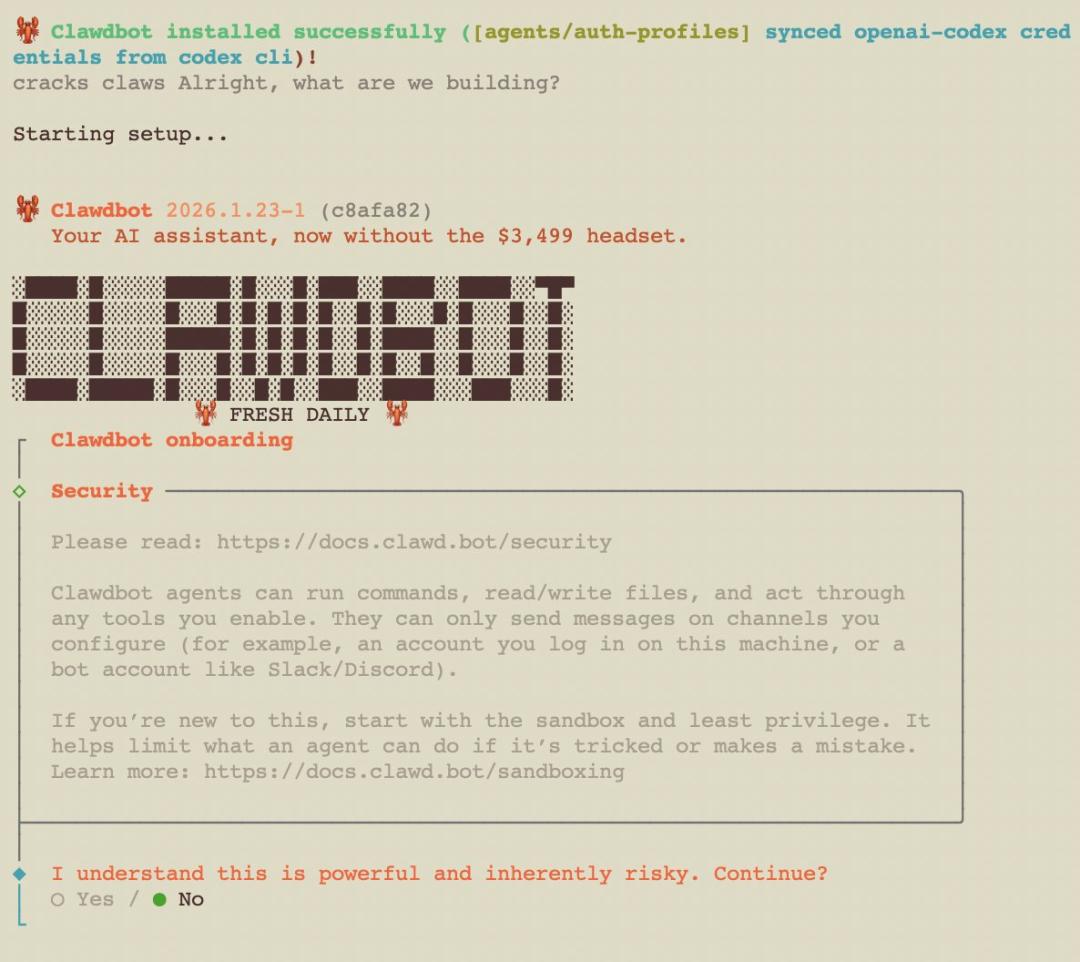
High levels of “delegation of authority” also mean that users must hand over more personal information and device authority. |Image source: X
The experience is very different from previous AI agent products, primarily because while most AI tools help answer questions, Clawdbot actually functions like an employee, although it doesn’t always do a perfect job.
Clawdbot has built-in tools such as browser controls, canvas, and scheduled tasks. It helps you browse the web, fill out forms, read and write files, and run shell commands. More importantly, it supports multichannel access. Connect to WhatsApp, Slack, Discord, Signal, iMessage, and Teams and remotely control your computer through these chat apps.
This combination of “practical” abilities allows for a variety of uses. for example:
If you send the message, “Extract all the dates from that contract and create a table,” it will search the file, read the contents, organize them, and send them to you.
If you send a message that says, “Run a test with this code and fix any errors,” you can retrieve the code, open an editor, run the command, modify the code, and run the test again.
If you send the message, “Write and send this week’s weekly report, then create a review project in Todoist,” it will automatically create a script, set up a cron job, and complete the process.
Each step itself is not mysterious. But what’s strange is that the command line, browser, folder, and chat window are connected to the pipeline. The cost changes from “operation” to “explanation”.
When you give instructions through chat, it reads and writes files, launches browsers, executes commands, and automates tasks on your computer. It’s like a remote desktop where you send a message on your phone and a thought model steps in between to complete the task for you.
03
Why do people buy Mac mini?
Many people deploy Clawdbot as a “restless AI assistant” on their dedicated Mac minis.
We chose a Mac mini because Clawdbot’s GUI operations can currently only be implemented on macOS.
Claude Some people say they use Clawdbot to monitor their coding sessions, allowing Clawdbot to automatically pull code, open VS Code, run tests, generate fixes, and automatically submit. One person said, “I rebuilt the entire website through dialogue while lying in bed watching TV.”
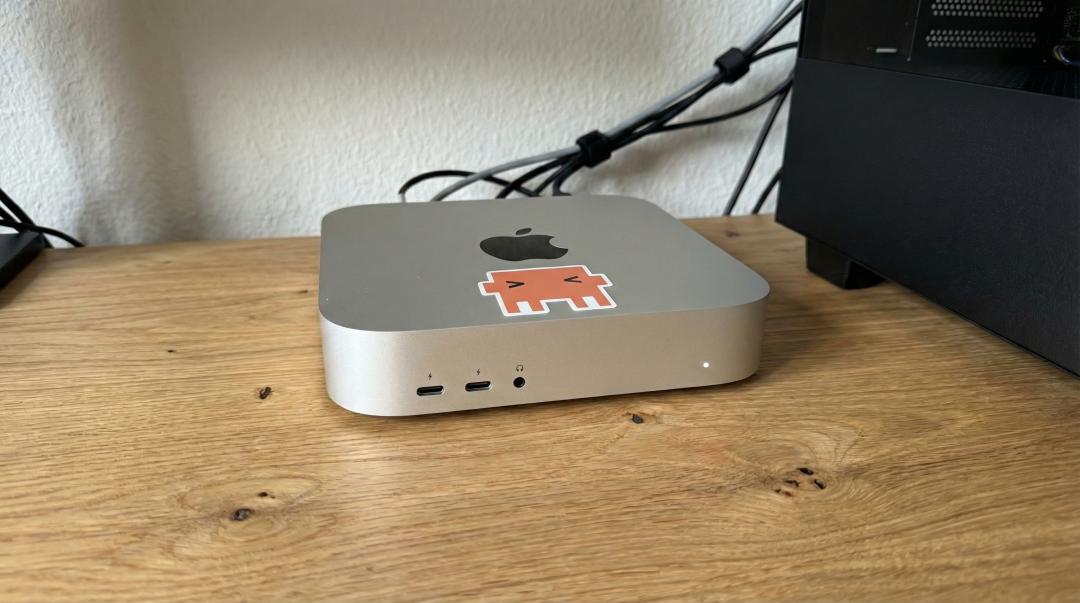
Clawdbot has made Mac mini the new trend in the AI agent space. |Image source: X
The logic behind this is not difficult to understand. This must always be online. Mac mini is cheap, quiet, and consumes low power, making it ideal as a home server.
Additionally, it requires very high privileges. Mixing this with personal daily data is very dangerous. Too many industry leaders buy separate machines, which is like isolating risk within a controllable box.
Almost everything you can do on your computer can be automated. The more you can do, the more separate you need to be.
Of course, some people go overboard by stacking a bunch of Mac minis on their desk and connecting Raspberry Pis everywhere to make it look like a data center. So the more sensible advice in the community is that you can run it on an idle computer, or even a VPS for a few dollars a month.
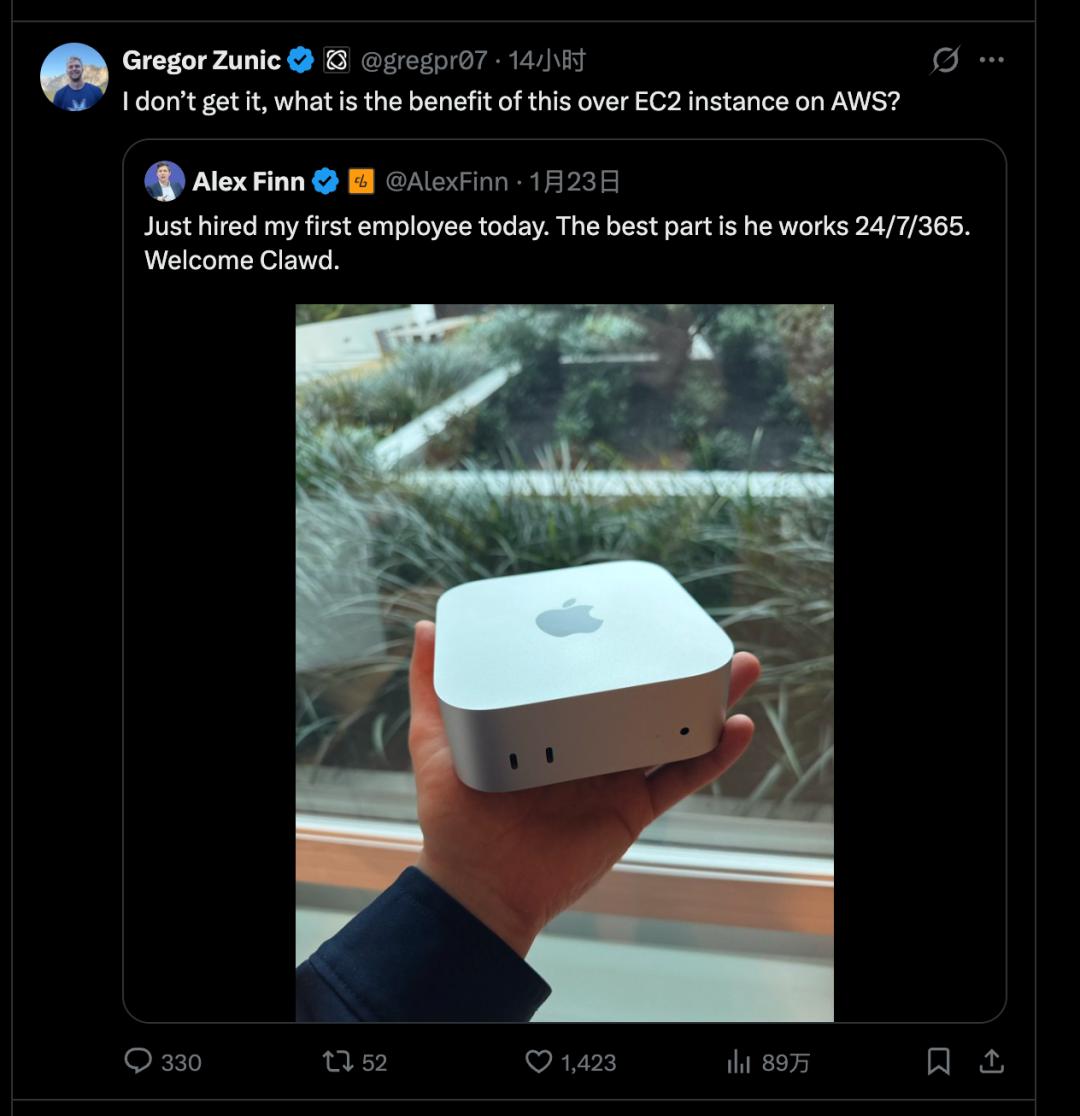
Many users have found that renting a server may be a better option for Clawdbot. |Image source: X
So Mac mini is not a prerequisite. Whether you buy the machine or not depends on where you set the “highest permissions”.
But at the end of the day, the Mac mini is just the mainstream choice among the community’s most avid players. Officials highly recommend using Anthropic Pro/Max subscription with Claude Opus 4.5 for better long context functionality and prompt injection protection. However, Anthropic recently changed the permissions of the Claude Code OAuth token, restricting it to use only within Claude Code and not for external API calls. Therefore, to properly use your Anthropic API key, you must configure it separately.
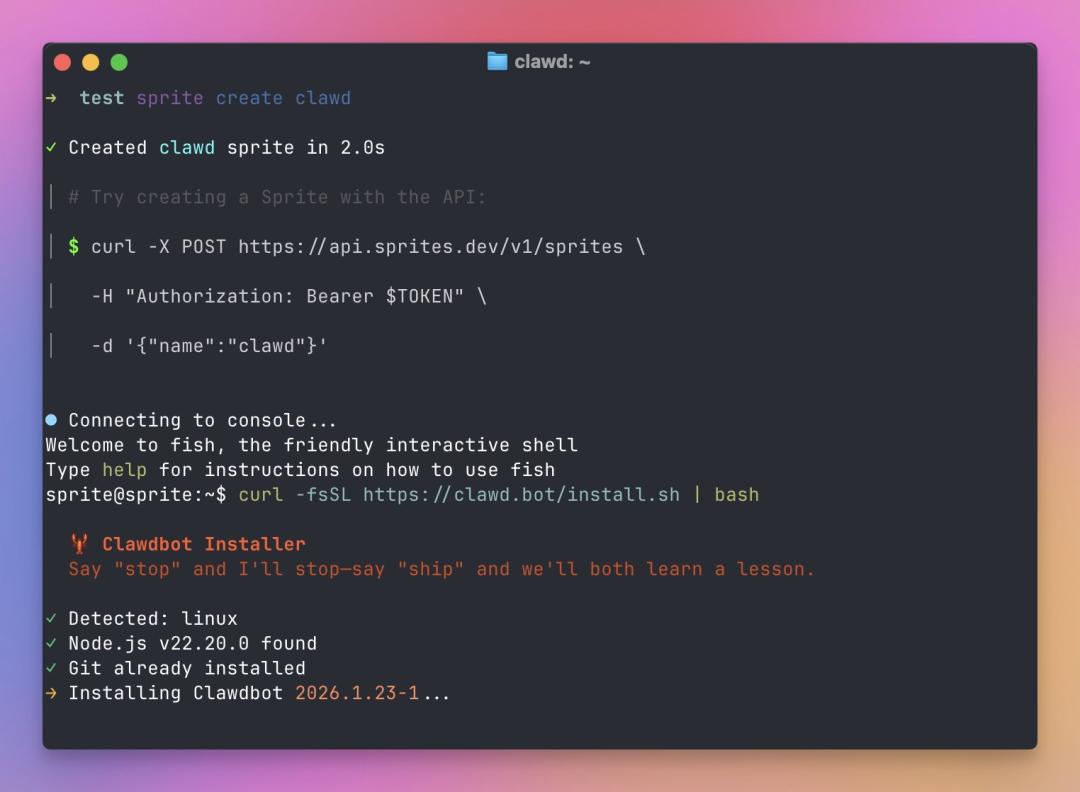
Using dialogue as your primary interaction method is a big selling point, but also potentially risky. |Image source: X
04
The greater the force, the greater the destructive power.
But the more important “note” actually lies in the form of the product.
Clawdbot’s functionality is permission-based. This is useful for sending emails, changing configurations, and running scripts. But that also means that if you misunderstand instructions, are misled by prompts, or are influenced by web content, the result is not just giving the wrong answer, but doing something wrong. Because the problem lies in the system structure, it is difficult to reduce this risk by simply saying “I’ll be careful.”
To be smarter you need to read context. The more context you read, the more sensitive information it may contain. Some users have complained that Clawdbot has deleted all their important photos on their computers.
An execution tool is required to make it more convenient. The more powerful the tool, the greater the damage caused by incorrect operation, which may lead to risks such as password leaks. At the same time, you must be connected to the Internet to complete the workflow. The more connections there are, the more entry points there are for injection and induction.
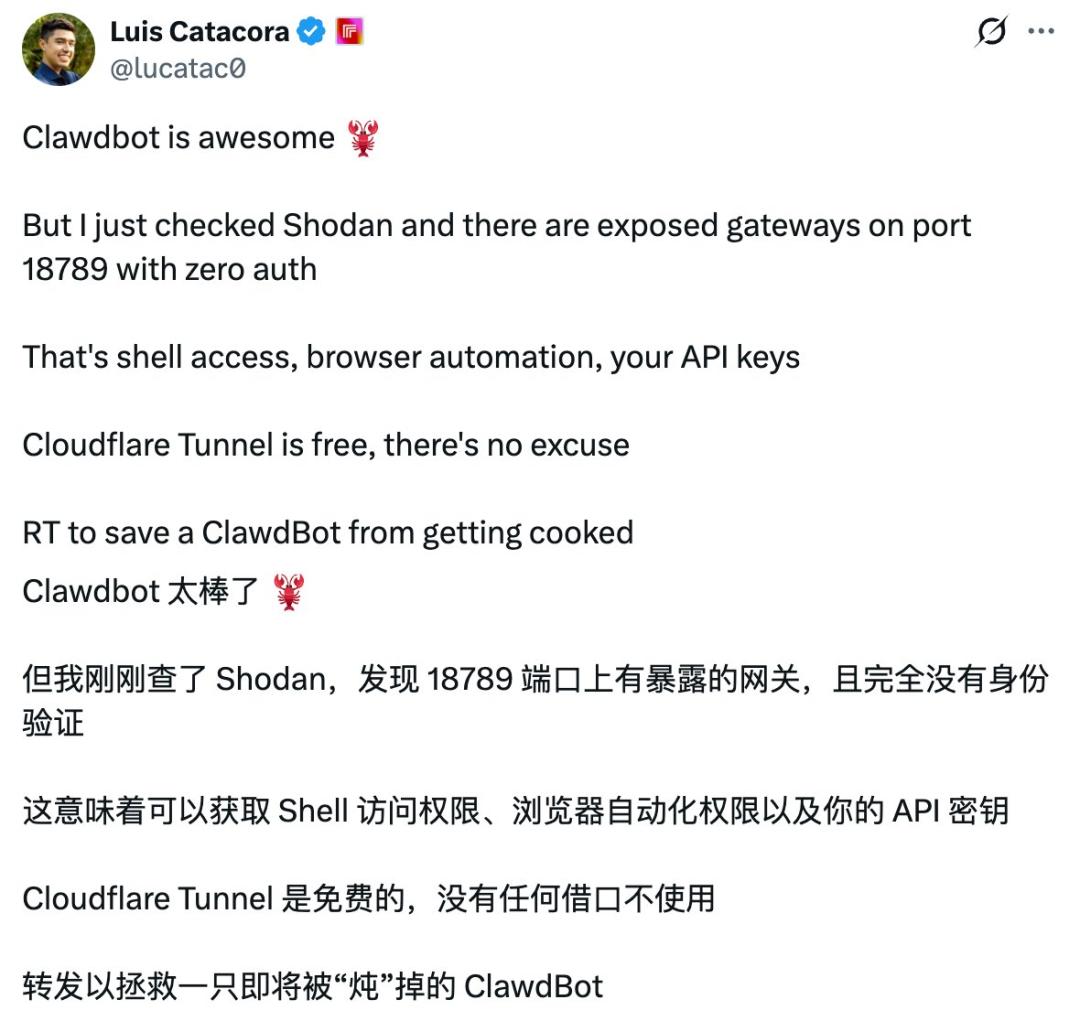
As more users research Clawdbot, more vulnerabilities are discovered. |Image source: X
As a result, suggestions such as “deploy on a dedicated machine,” “use least privileges,” “check sensitive operations twice,” and “make your account password a one-time credential” come up frequently in the Clawdbot community, even during the trial phase.
So if you’ve seen a lot of people talking about it lately, my advice is: Don’t follow the trend and install it, don’t worry about missing out. The reason is simple. That’s great, but it also comes with risks.
Most people’s real needs fall short of “handing over the entire computer to a model.”
This is really cool, cool enough to make you re-evaluate how “automation” can be achieved. However, it is also extremely dangerous and is definitely not recommended for deployment on production devices.
In theory, it’s not impossible to connect to Lark at this point. If your system can already connect to iMessage, Slack, and Teams, it’s only a matter of time before you connect to familiar national office communication tools like Lark. The real question is never “Can I connect?” but “Who will be responsible after the connection?” Permissions, compliance, auditing, and data boundaries within an organization can quickly make personal toys as complex as enterprise systems.
This wave of popularity may seem sudden, but its rhythm is familiar.
Manus also “suddenly appeared” around the same time early last year. The demo video went viral, with comments like “I handed over my job to AI” and the number of tutorials and group chats skyrocketed overnight.
The difference is that Clawdbot has moved the battlefield from the cloud product page to your computer.
Memories are no longer just the conversation history of your account. Often it’s a bunch of local files, Markdown logs, and transferable configurations.
Execution is no longer dependent on “actions provided by the platform”. Often it depends on the toolchain on your machine.
Web pages are no longer the only entry point. The chat app has become a remote control.
Successful experiences no longer come from a single demo. It comes from the moment you gradually integrate your life and work processes into it.
This is why Clawdbot is more addictive than Manas. It’s close to the system, close to the data, close to permissions, maybe too close.
After your 48-hour experience, if you viewed this as a consumer product that could boost your productivity right out of the box, you’ll likely be disappointed. Configuration thresholds, permission concerns, model costs, and error costs can quickly dampen enthusiasm.
If you look at this as an example of a trend to watch, the value of Clawdbot is undeniable. Personal AI is moving from “answering questions” to “performing tasks,” from “occasional use” to “continuously online,” and from “applications” to “systems.”
The personal computing device of the future could become a kind of “home server” that can be activated by a message at any time, and the interaction interface between you and it could be the chat window you use every day.
You can definitely wait. Wait until installation processes become more user-friendly, permission models become more complete, middle-tier security measures become the norm for such applications, and the community creates best practices as clearly as operating manuals. Only then will Clawdbot transform from a toy for geeks to a tool for the masses.
Until then, it’s best to think of them as highly capable but mischievous lobsters. It can be effective and amazing, but it’s best to keep it in a box where you’re prepared to accept the consequences.
This article is from a WeChat public account


