


Wondershare's Filmora is a handy video editor powered by artificial intelligence (AI) that has recently undergone a major upgrade.
Full disclosure: This sponsored post is provided by Wondershare.
The latest version of Filmora, 13.5, includes numerous updates that make video editing much more efficient and easier. Leveraging the rapid advancements in AI technology, Wondershare delivers a highly convenient video editing solution, especially for users who have a limited budget for these features.
Filmora also offers a free trial, making it a great option for curious users who want to try out the software. As a video editor packed with AI technology, this software offers incredible value.
The additions in version 13.5 make this even more of a bonus: Specifically, these updates make it easier to add narration, automate the tedious parts of editing, and give users more creative control.
Text to speech: Voice duplication
A key upgrade in Filmora version 13.5 is its enhanced text-to-speech technology, which now includes an exciting feature called Voice Cloning. This advanced feature allows users to convert text into natural-sounding narration with just one click. 28 languages are supported. It also supports converting SRT files, which are commonly used for subtitles, into 40 preset voices. Users can customize these voices to create the perfect narration for their videos. Filmora's cutting-edge accuracy saves you a lot of time and streamlines the editing process, making it easy to create compelling videos.
As part of the Text-to-Speech feature, Voice Cloning allows you to easily convert your personal voice recordings into audio dubbing. By incorporating Azure OpenAI's model capabilities, you can clone your voice with just 30 seconds of audio recording. This is especially useful for vloggers and creators who often use narration from scripts, saving a lot of time in the video editing process. Voice Cloning currently supports 16 languages, while competitors such as CapCut only offer this feature in English and Chinese.

Additionally, Wondershare makes privacy and ethics a top priority. The company states: “Wondershare ensures that all AI-driven features are designed with users' privacy and ethical standards in mind. Robust filtering mechanisms and monitoring processes are in place to protect users' personal data and prevent misuse of voice information.”
If you are a first-time user, your first use of Voice Clone is also free, making it incredibly easy to try out this innovative tool.
Corner Pin
Using AI, users can adjust and transform corner points of objects, allowing for perspective distortion and creating a pseudo 3D spatial effect.
This is a great way to take your video editing to the next level using AI without having to spend resources on a bunch of props.
Curved text
Previously, text could only be displayed horizontally or vertically. But Filmora version 13.5 adds new transformation options that allow you to bend and curve text for more dynamic results. There are template shapes for users to choose from, allowing for further customization. This addition gives creators an easy way to make their designs stand out without adding time and effort to the editing process.

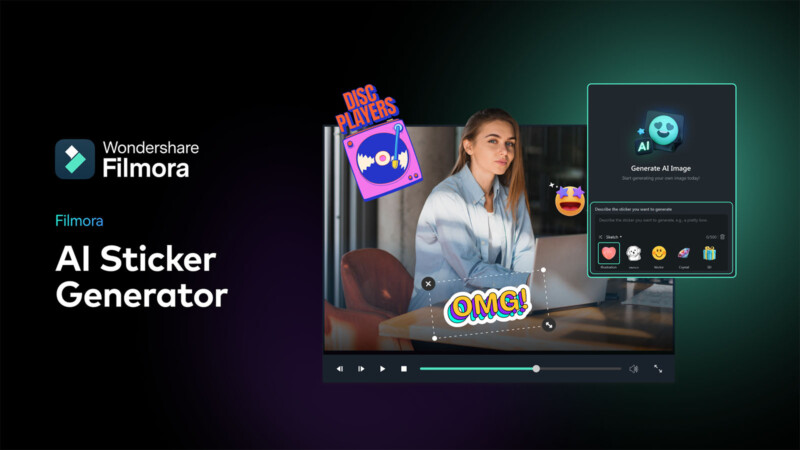
AI Sticker Generator
The new AI Sticker Generator module adds far more options for anyone incorporating sticker motifs into their creations, and while Filmora already features a large sticker library, the ability to create new designs from simple text prompts opens up virtually endless possibilities.
Transitions
One of the most tedious things about editing is repeatedly applying the same transition effect to an entire video. This issue has been improved in Filmora version 13.5, as the update now allows users to apply bulk transition edits at once, making the whole process much more efficient.
Commercial Use Review
These AI upgrades are great, but they're useless if users can't actually take advantage of them. But with the latest update, Wondershare has made things even better for users by providing more commercial use resources. What's more, the video editing software now offers a more comprehensive commercial information manual, empowering users even more with the AI enhancements.
Full Disclosure:This sponsored post is provided by Wondershare.


