Disclosure: This article was created in collaboration with Wondershare.
Creating videos without constantly switching between platforms often requires juggling multiple tools for writing, image generation, character design, video creation, and editing. Wondershare Media.io, Wondershare’s all-in-one AI creative platform, combines these steps into one guided creation experience.
AI Story Studio allows creators to generate story ideas, build characters, design storyboards, and produce videos while reducing the need to switch between multiple platforms.
Why do I need all this/any tools to create AI story videos?
AI has made video creation easier than ever, but the process is still not easy for many creators.
A typical AI storytelling workflow involves using one tool to brainstorm ideas and create a script, another tool to generate character images, a third tool to create video clips, and yet another application to edit everything together. While each tool does its job well, moving between multiple platforms often disrupts the creative process, making even short stories incredibly time-consuming.
Instead of focusing on storytelling, creators end up spending a lot of time exporting files, rewriting prompts, and keeping characters and scenes consistent across different tools.
This is exactly the challenge Wondershare Media.io AI Story Studio is designed to solve.
How does AI Story Studio simplify my workflow?
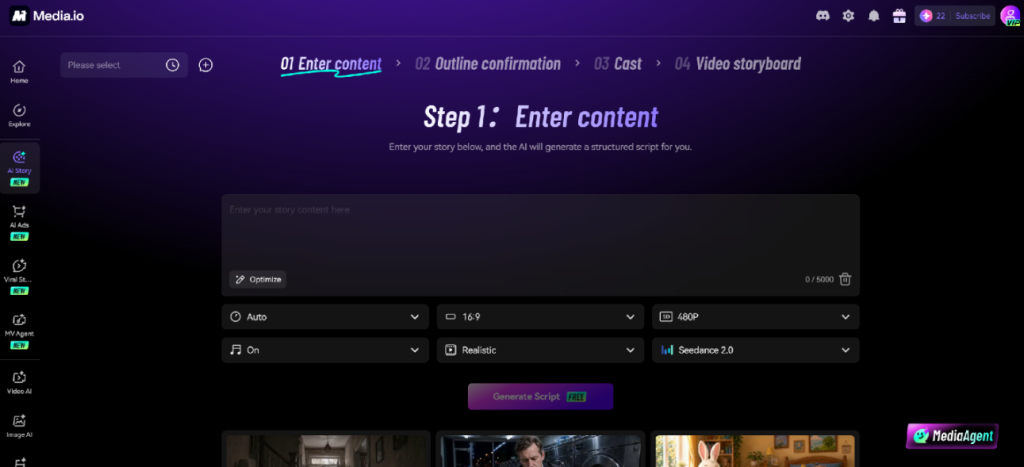
Rather than acting as a separate text-to-video generator, Wondershare Media.io’s AI Story Studio guides creators through the entire storytelling process in one place.
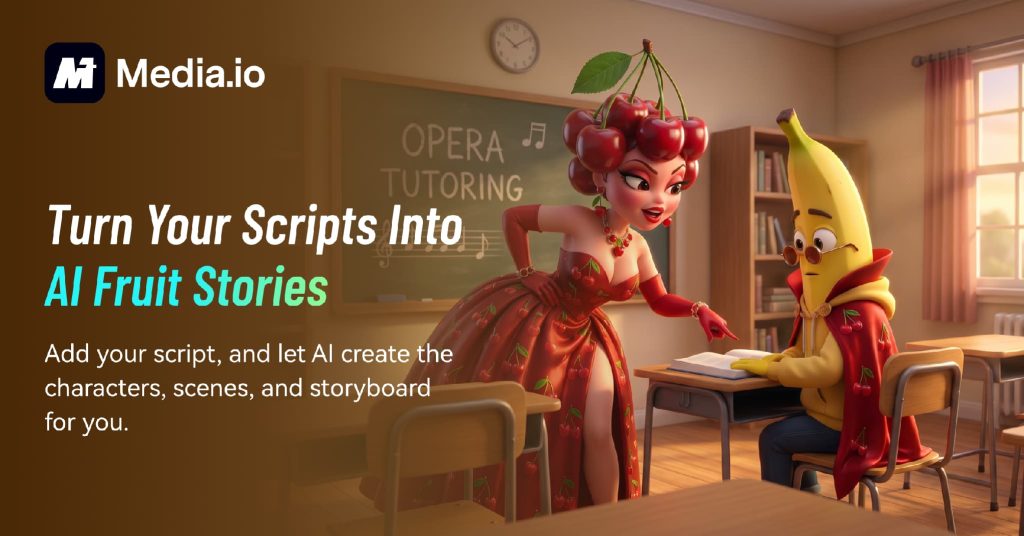
Users can start with an idea or choose from built-in creative styles, such as AI Fruit Story, and let the AI generate a complete story framework, including title, theme, background, plot, and characterization. From there, the platform helps you create a cast, generate visual scenes, organize storyboards, and produce the final video.
All stages remain connected, allowing creators to naturally refine their stories without having to move between separate AI applications or rebuilding the project from scratch.
Who is AI Story Studio best for?
First-time AI creators can use AI Story Studio to turn their ideas into videos without having to learn professional editing software or create complex prompts.
Short-form content creators on TikTok, Instagram Reels, and YouTube Shorts can quickly experiment with new storytelling ideas and stay relevant while responding to new content trends.
Writers and storytellers can transform screenplays, short stories, or creative concepts into visual narratives without having to create animations manually.
Educators and brands can also use AI Story Studio to create engaging educational content, visually explain complex topics, and develop story-driven branded content that captures attention on social media.
How to create story videos with AI Story Studio
Step 1: Choose a story style
Open AI Story Studio and browse the available story styles. If you’re creating trending social content, you can choose one of the available templates as a starting point instead of creating a story from scratch.
Step 2: Review the AI-generated story
AI automatically generates the title, theme, background, and plot of the story. Before moving forward, review your draft and make adjustments as needed to customize the storyline to fit your creative vision.
Step 3: Customize your character and storyboard
AI Story Studio then creates a cast and visual scenes based on the story. You can change characters, regenerate scenes, and tweak storyboards to improve the overall pacing of your video and maintain visual consistency.
Step 4: Generate the final video
Once you’re happy with your storyboard, it’s time to generate your final video. The platform combines stories, characters, and scenes to create finished AI-generated videos that can be instantly downloaded and shared.
Why does an all-in-one AI platform make a difference?
The biggest benefit of an integrated AI storytelling platform isn’t just the ability to generate videos faster, but the ability to remove unnecessary friction from the creative process.
Being consistent in generating stories, creating characters, designing storyboards, and producing videos means fewer repetitive prompts, fewer exported files, and less potential for visual inconsistencies. Instead of managing multiple tools, creators can focus on refining ideas, experimenting with different story directions, and producing content more efficiently.
As AI creation continues to evolve, your productivity will not be determined by the number of AI tools you use, but by how easily those tools work together.
final thoughts
AI storytelling is becoming one of the most exciting ways to create engaging content for social media, education, and digital marketing. But you don’t have to manage six different applications to create compelling stories.
Wondershare Media.io’s AI Story Studio makes visual storytelling more accessible to creators of all experience levels by combining story generation, character creation, storyboard design, and AI video production into one guided experience. Whether you’re creating your first AI short story or experimenting with your next viral idea, spending less time switching between tools means more time creating.
FAQ
- Do I need multiple AI tools to create story videos?
Not necessarily. Platforms like Wondershare Media.io consolidate these steps into one guided experience, making the process simpler and more efficient.
- Can a beginner create an AI story video without any editing experience?
yes. Wondershare Media.io’s AI Story Studio is designed for users of all skill levels. It helps you automatically generate story ideas, characters, scenes, and storyboards, allowing even beginners to create complete story videos without learning professional video editing software.
- Can I customize AI-generated stories and characters with Wondershare Media.io?
yes. You can edit titles, plots, characters, scenes, and storyboards before creating your final video. This allows you to maintain the AI-generated structure while adding your own creative ideas.
- Why use an all-in-one AI platform instead of separate AI tools?
Using one platform reduces repetitive work, keeps characters and story elements consistent, and eliminates the need to move files between multiple applications. This allows creators to spend less time managing various AI tools and more time developing their ideas.