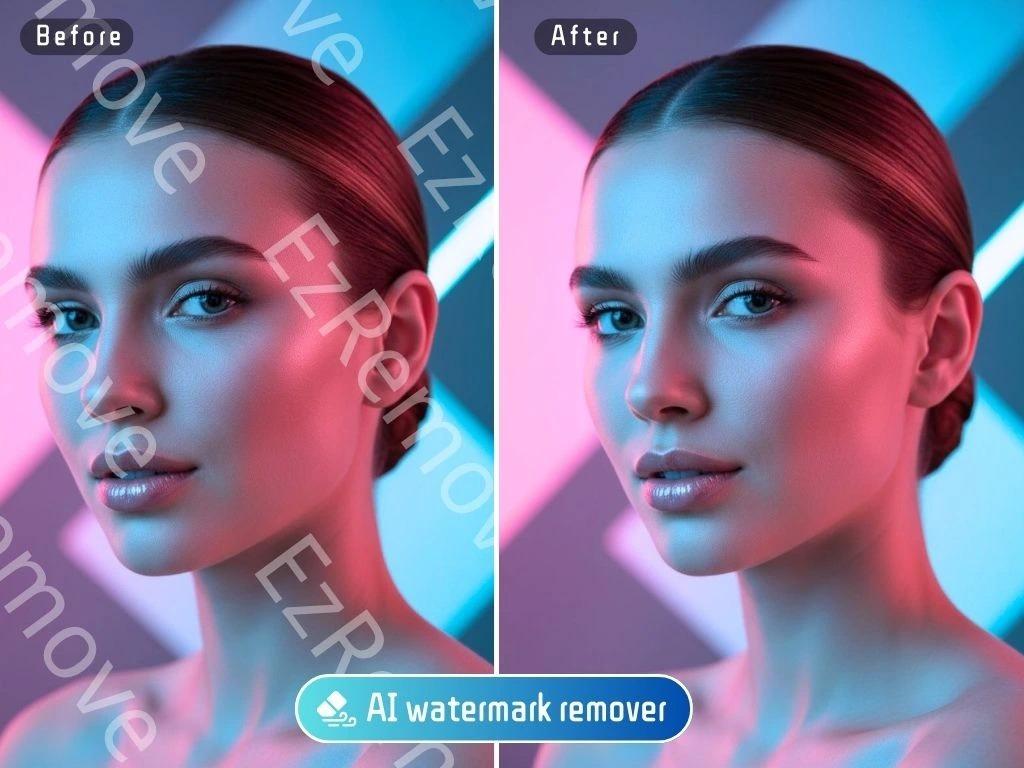
AI cleanup tools have become a practical part of everyday content production. A few years ago, removing a watermark, clearing an unwanted object, or polishing an old asset often meant opening heavy editing software and spending far too long on manual fixes. In 2026, teams can handle much of that work online with AI tools that repair frames, rebuild backgrounds, and speed up retouching across both video and image workflows.
The challenge is not finding a tool. It is choosing the right one for the kind of cleanup you actually do. Some tools are stronger at video watermark removal, some are better for still-image retouching, and others fit best when you need a lightweight browser workflow that the whole team can use quickly.
If your workflow starts with short-form clips, overlays, timestamps, or logos on video, EzRemove video watermark remover is one of the most practical tools to consider first.
If your team also needs fast prompt-based retouching for still images, product shots, and marketing graphics, an ai image editor can cover the cleanup and enhancement side without adding a steep learning curve.
As of June 23, 2026, the tools below stand out because they solve different parts of the cleanup process well. Rather than treating them as direct substitutes, it is more useful to think of them as workflow fits. The best setup for a creator or marketing team is often one strong video cleanup tool paired with one or two image-focused editors.
What makes a good AI cleanup tool?
Before jumping into the list, it helps to define what “good” actually means in this category. A strong cleanup tool should do more than simply erase a visible element. It should rebuild the area in a way that looks believable, preserve enough quality for publishing, and keep the workflow simple enough that people will actually use it.
For most teams, the best tools share a few traits:
| Criteria | Why it matters |
| Natural reconstruction | Edited areas should blend into the background instead of looking smeared |
| Speed | Fast results matter when you process many assets each week |
| Format support | Video and image teams often work with several file types |
| Quality retention | Cleanup is less useful if the export looks compressed or soft |
| Ease of use | A simple browser workflow reduces tool-switching and training time |
Quick comparison of the best tools
Here is a fast overview before we break down each one in detail:
| Tool | Best for | Media focus | Standout strength |
| EzRemove | Video watermark and overlay cleanup | Video | Auto and manual removal options with HD-focused workflow |
| PhotoEditorAI | Prompt-based image cleanup and enhancement | Image | Browser-based editing with object removal and high-res downloads |
| WatermarkRemover.io | Fast automatic watermark removal across formats | Image and short video | Automatic detection with support for image, PDF, and video uploads |
| Cleanup.pictures | Quick object, text, and defect removal | Image | Simple retouching with strong one-click inpainting use cases |
| Clipdrop Cleanup | Creative retouching in broader image workflows | Image | Cleanup plus adjacent tools like upscaling and relighting |
1. EzRemove
EzRemove is the strongest fit on this list for teams that regularly clean up video assets. Its official page highlights support for removing watermarks, logos, text, timestamps, stickers, and semi-transparent overlays from video, with both Auto Remove and Manual Paint modes available. It also emphasizes HD quality preservation, original audio retention, support for files up to 500MB, and input up to 4K, which makes it more useful than lightweight mobile-only tools for real production tasks.
The reason EzRemove works well in mixed cleanup workflows is that it focuses on a common bottleneck: repurposing existing clips that still have old branding, export marks, or distracting overlays. Social teams, ecommerce teams, tutorial creators, and agencies often do not need a full nonlinear editor for that job. They just need a clean result quickly, and this tool is built around that use case.
Pros:
| Pros | Notes |
| Video-first workflow | Better fit for clip cleanup than image-only editors |
| Auto and manual modes | Helpful for simple marks and more precise repairs |
| HD and 4K-oriented positioning | More practical for content teams that care about output quality |
| Supports common clip cleanup cases | Logos, timestamps, text, and overlays are explicitly covered |
Cons:
| Cons | Notes |
| Best for targeted cleanup, not full editing | You may still need another tool for color or motion design |
| Harder scenes can still need review | Busy backgrounds and moving subjects should be checked closely |
Best for: creators, social media teams, online educators, and ecommerce sellers who frequently reuse clips and need to clean them without rebuilding the whole video from scratch.
2. PhotoEditorAI
PhotoEditorAI is a strong companion tool when your workflow includes product photos, blog graphics, portrait cleanup, or quick prompt-based edits after video frame extraction. The official site describes it as browser-based, no-registration, and built for editing, transforming, and enhancing photos with text prompts. It also states that object removal is a core feature and that finished images can be downloaded in high resolution.
That combination makes it useful for teams that want more than simple removal. If you clean a still image and then need to improve lighting, remove blemishes, swap a background, or sharpen the final result, a prompt-driven editor is often faster than hopping between several narrow tools. It is also a practical option for teams that want low-friction editing without installing desktop software.
Pros:
| Pros | Notes |
| Prompt-based editing | Useful for non-designers who prefer plain-language instructions |
| No registration required | Easier for quick team use and lightweight workflows |
| High-resolution downloads | Helpful for publication, social, and print-ready needs |
| Covers removal and enhancement | Good second step after cleanup |
Cons:
| Cons | Notes |
| Image-focused, not video-focused | Not the main choice for clip cleanup |
| Results depend on prompt clarity | Vague instructions can lead to less controlled edits |
Best for: marketers, bloggers, designers, and small business teams that need flexible image cleanup plus enhancement in one browser-based tool.
3. WatermarkRemover.io
WatermarkRemover.io earns a place on this list because its official site positions it as more than a basic image tool. It supports image, PDF, and video uploads, lists supported image formats including PNG, JPEG, JPG, WEBP, and HEIC, and notes short video support alongside automatic AI watermark processing. Its pitch is speed and convenience, especially for users who want the tool to detect the watermark without manual selection.
This makes it a good option for straightforward cleanup jobs where the goal is to move fast. If your team handles many marked files and wants an easy front door for automatic removal, it is a practical choice. The site also mentions commercial bulk removal on paid plans, which may matter for teams processing larger asset sets.
Pros:
| Pros | Notes |
| Automatic detection | Good for speed and low-effort processing |
| Supports more than images | Useful when your cleanup work spans image, PDF, and short video |
| Beginner-friendly workflow | Accessible for teams without editing experience |
| Bulk options available | Helpful for larger production queues |
Cons:
| Cons | Notes |
| Best on simpler cleanup jobs | Automatic tools are not always ideal for delicate scenes |
| Video support is narrower | Better for shorter clips than more involved video workflows |
Best for: operations teams, agencies, and marketers who want a fast automatic watermark-removal layer across different asset types.
4. Cleanup.pictures
Cleanup.pictures remains one of the simplest tools for quick image retouching. Its official site says it can remove objects, people, text, and defects from pictures, and it describes the workflow as AI reconstruction in one click. The service also calls out use cases for photographers, agencies, real estate, and ecommerce, which lines up with the kinds of teams that often need to clean distracting elements from still images rather than perform deeper compositing work.
What makes Cleanup.pictures useful is its clarity of purpose. It does not try to be everything. If you need to erase a tourist from a travel photo, remove visible text, clear a product distraction, or repair an older image quickly, it can slot into a workflow with very little setup. That simplicity is often a real advantage when speed matters more than having a full creative suite.
Pros:
| Pros | Notes |
| Very focused workflow | Easy to use for straightforward object and text cleanup |
| Strong still-image retouch use cases | Helpful for product, real estate, and portrait work |
| One-click style process | Good for quick turnaround tasks |
| API availability mentioned | Can matter for product or automation teams |
Cons:
| Cons | Notes |
| Not for video cleanup | Best used as part of the image side of the workflow |
| Free export limits can matter | Teams needing high-resolution output may need paid access |
Best for: photographers, real estate teams, ecommerce sellers, and creative teams that need quick object removal without extra complexity.
5. Clipdrop Cleanup
Clipdrop Cleanup is another strong image-retouch option, especially for teams that want cleanup as part of a broader creative toolkit. Its official page says it removes objects, defects, or people in seconds, and the larger Clipdrop toolset also includes background removal, text removal, relighting, and image upscaling. That makes it appealing for teams that often move from cleanup into enhancement within the same ecosystem.
Compared with narrower cleanup tools, Clipdrop feels especially useful when the unwanted element is just one part of a larger image improvement process. You may remove an object, then relight the subject, then upscale the export for a campaign asset. That kind of sequence can reduce tool-switching and keep the workflow moving.
Pros:
| Pros | Notes |
| Strong retouching use cases | Useful for objects, text, people, and defects |
| Part of a broader toolset | Helpful when cleanup leads into relighting or upscaling |
| Friendly to creative workflows | Good fit for agencies and visual teams |
| Works well for fast image revisions | Efficient for iterative asset prep |
Cons:
| Cons | Notes |
| Still-image focus | Not the main choice for video-first teams |
| Some teams may prefer a narrower tool | Broader toolsets can be more than casual users need |
Best for: design teams, creative agencies, and marketers who want cleanup plus adjacent enhancement tools in one environment.
Which tool should you choose?
The best choice depends less on headline popularity and more on the asset type you touch most often.
| If your main task is… | Best starting point |
| Removing logos, timestamps, or overlays from clips | EzRemove |
| Cleaning and enhancing still images with text prompts | PhotoEditorAI |
| Running fast automatic watermark removal across asset types | WatermarkRemover.io |
| Erasing distractions from photos quickly | Cleanup.pictures |
| Combining cleanup with broader image enhancement | Clipdrop Cleanup |
For many teams, the smartest setup is not a single tool. It is a pair. A video cleanup tool handles overlays and watermarks on clips, while an image editor or retouch tool handles thumbnails, extracted frames, product images, and blog visuals. That split reflects how real content workflows actually work.
A practical cleanup stack for 2026
If you are building a repeatable workflow this year, a simple stack often looks like this:
- Use a video-focused tool to clean clips, overlays, timestamps, and branding.
- Export thumbnails or still frames that need extra polish.
- Use an image-focused editor for object removal, retouching, relighting, or enhancement.
- Review final assets at real publishing size before shipping them.
That process is faster than forcing one tool to do everything, and it usually produces cleaner results.
Final thoughts
The best AI cleanup workflows in 2026 are less about finding a magic all-in-one product and more about matching the tool to the task. EzRemove stands out for video cleanup. PhotoEditorAI is a flexible choice for prompt-based still-image editing. WatermarkRemover.io is useful for fast automatic removal across several file types. Cleanup.pictures and Clipdrop Cleanup remain strong picks for image retouching and distraction removal.
If your team creates both video and image assets every week, build around that reality. Pick one tool that handles clip cleanup well, then pair it with one that improves still images quickly. That combination is usually more efficient, easier to scale, and more practical than trying to make a single editor cover every cleanup scenario.

Editor-in-Chief | Seat42F, a leading source of entertainment news, information, television and movie resources.