
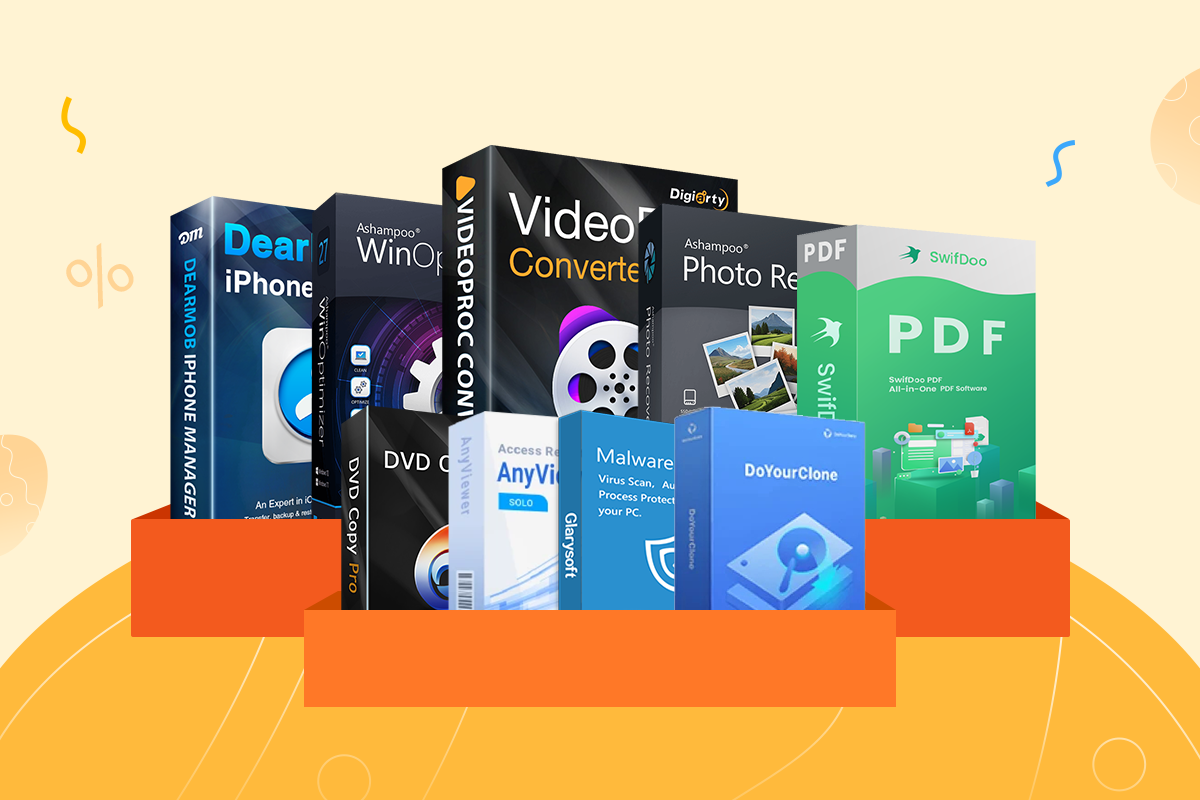
Desiarty’s Latest VideoProc Converter AI update serves as a practical companion for capturing and refining seasonal memories, making the upcoming Easter holiday the perfect time to try out the recently released version 8.9 of the software. Rather than introducing new features, the company is focusing on how its existing AI-driven tools fit into everyday scenarios, especially casual video, photo, and audio capture. It will also support this for a limited time. easter mega deal promotion (See information below), the company is highlighting this with the update.
The central idea is simple. Most people record holidays like Easter on multiple devices, often resulting in footage that’s shaky, inconsistent, or difficult to share. VideoProc’s all-in-one approach is designed to simplify the process without requiring traditional editing workflows.
AI tools for real-world shooting situations
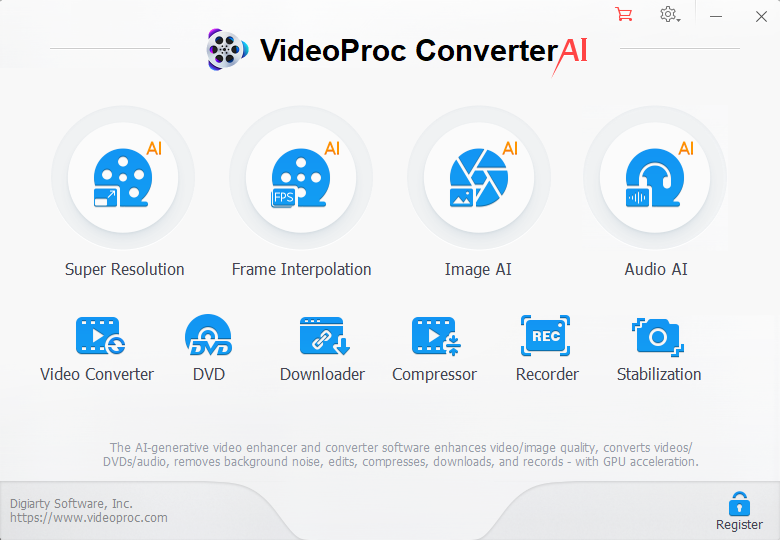
VideoProc’s latest update focuses on AI-powered enhancements, as shown below.
The current version of VideoProc Converter AI leans heavily toward automatic enhancement, with a particular focus on improving footage shot in less-than-ideal conditions, such as on smartphones. The software bundles multiple AI tools into a single streamlined pipeline rather than separating functionality into separate workflows.
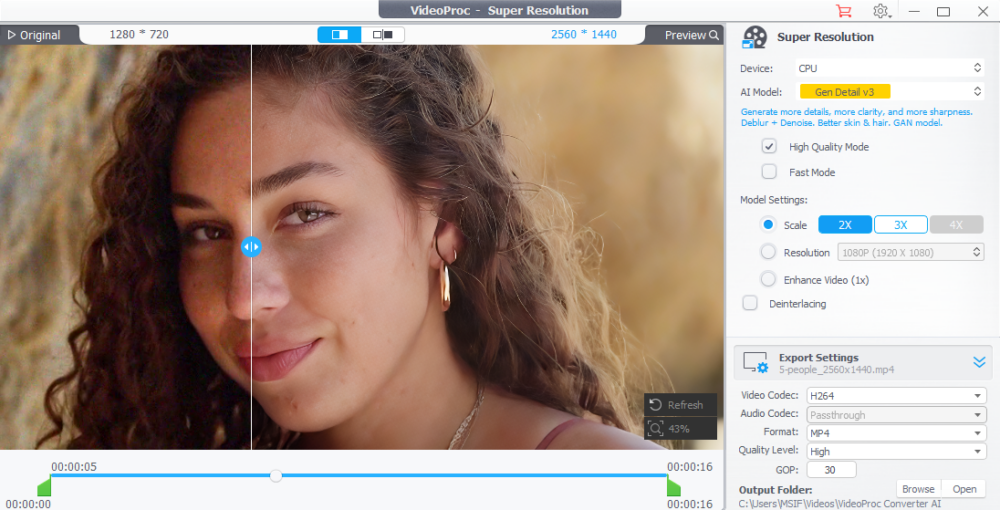
AI super resolution
At the heart of that toolkit is AI Super Resolution, which is designed to upscale footage and still images without the need for manual intervention. VideoProc says it can boost video resolutions up to 4K and images up to 8K, making it easier to reuse clips captured on lower resolution devices. In practice, this is most useful when combining footage from multiple sources or preparing content for viewing on larger displays where resolution discrepancies are more noticeable.
AI stabilization
For handheld shooting (perhaps the most common type of casual capture), AI stabilization reduces camera shake. Of course, right? This is very useful for footage recording outdoor activities or family events where using a tripod or gimbal is not practical. The goal is not to duplicate professional image stabilization systems, but to make spontaneous clips more watchable without additional editing. A little stabilization can go a long way.
AI frame interpolation
AI frame interpolation smooths playback and handles motion by generating additional frames as needed. This reduces stuttering on clips with inconsistent frame rates, and also allows for simple slow-motion effects. This is a subtle addition, but can improve perceived quality without requiring users to manually adjust timing or frame rate.
Image correction using AI
For still images, VideoProc includes an AI-based image enhancement tool aimed at restoring old or low-quality photos. These tools focus on improving clarity, adjusting details, and fixing visual degradation. You may find these features especially important when revisiting archived images or digitized prints.
Overall, these tools are not meant to replace professional editing software. Instead, it’s designed to make everyday footage more consistent and easier to use, especially when capturing content quickly across different devices in unpredictable situations.

Audio cleanup and cross-platform sharing
VideoProc not only focuses on visual improvements, but also on audio. This is a common problem area for casual recording.
The software includes built-in noise suppressionhelps clean up interactions and reduce background noise, whether in an outdoor environment or a crowded indoor environment. This can make a noticeable difference when revisiting clips where audio clarity was not prioritized during capture.
Once the media is processed, VideoProc shifts its focus to compatibility and distribution. Software includes: Format conversion and compression tool What users can do Prepare the file Compatible with various platforms without the need for additional software. This is paired with Basic editing functionslike trimming clipwhich helps streamline the process of getting your content ready to share.
The broader goal here is to simplify workflows that tend to be fragmented. Rather than moving files between multiple apps for editing, converting, and exporting, VideoProc stores those steps in one place, making the transition from capture to sharing easier, whether it’s for messaging apps, social platforms, or playback across different devices.
What’s new in version 8.9
While the Easter campaign focuses on use cases, version 8.9 introduces several feature updates.
- Language detection when downloading videos (Mac and Windows): Automatically select and download content in your preferred language
- Audio-only recording (Mac, macOS 13 and later): Enable standalone audio or system audio capture
- Updated recording engine (Mac): Improved stability for screen recordings such as iPhone capture and system audio.
These updates are gradual but practical, and VideoProc continues to focus on accessibility rather than expanding into the realm of high-end editing.
Pricing and Easter promotions
As mentioned throughout the article above, VideoProc is currently running a limited time Easter promotion. This includes a buy 1 get 4 free bundle. Official offer page. This is a pretty solid deal, and it’s clearly aimed at drawing in new users who want something that makes it easy to clean up and share clips without using more complex editing software.
If you want to know more about what this software actually offers, check out the detailed breakdown on the next page. Click here for the VideoProc Converter AI product page.
Like most seasonal promotions, this one won’t last long, so prices may return to normal once the Easter campaign ends.
final thoughts
VideoProc’s latest endeavor isn’t to compete with professional editing platforms. It’s about streamlining the messy reality of daily media capture. By bundling AI enhancement, recording, and transformation tools into one interface, it’s clearly targeting users who want better-looking results without investing time in traditional post-production, and the company is focusing on this with its seasonal Easter promotion. The real value lies in how well these AI tools withstand different real-world footage, and the direction is clear: simplify, automate, and maintain everything in one place.


