


The rise of generative AI in recent years has completely changed the way we access information. It used to be a quick Google search, but now it's even faster with AI tools like ChatGPT and Gemini. No more scrolling through tons of articles to find the information you're looking for. Ask simple, focused questions with ChatGPT and get customized answers almost instantly.
Some may argue that this just makes people lazy, but it's true that relying completely on AI is not ideal. Uses that AI should never be used for include asking for serious life advice or editing people's images without their consent. A good intermediate use for an AI platform is research or finding answers to very specific technical questions. Still, it's never a good idea to take every word ChatGPT spews as truth. Rather, we must always be wary that AI models may hallucinate and confidently provide incorrect information. Most chatbots will display a disclaimer like this.
However, advances in generative AI now allow users to fine-tune the model's reactions and thinking. Apart from deciphering which of the dozen new models to use, learning the appropriate prompts can alleviate many of the incorrect responses you might get. Telling AI tools to stick to high-quality sources is a great start. This way, you won't always receive answers from unreliable sources.
Use appropriate instruction prompts
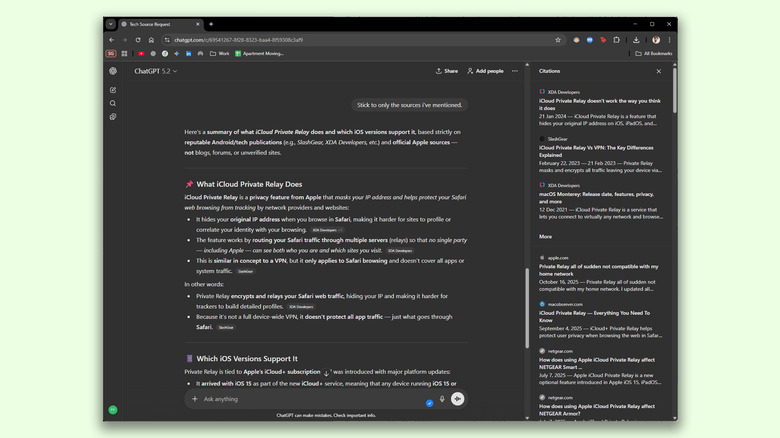
Services like ChatGPT are very useful because you don't have to fiddle with a lot of settings to adjust the response. Just ask it what you're looking for in plain English and it will adjust the parameters in the background. First, constructing a good instructional prompt will go a long way. If you're looking for a specific category of information, list a few trusted websites and ask the AI chatbot to retrieve search results based only on those sources.
Below is an example of a prompt I generated using ChatGPT to explore technology-related topics.
“When answering this question, please base your answer solely on reports, reviews, or analysis from well-known and reputable Android and technology publications. Acceptable sources include publications such as SlashGear, BGR, XDA Developers, The Verge, Ars Technica, GSMArena, Wired, and similar outlets; unattributed blogs, SEO content, forums, or social Don't rely on media posts. If quality sources are limited or unavailable, state that clearly instead of filling in the gap. ”
If we subsequently asked a question, ChatGPT obtained information exclusively from the publications we mentioned and also cited sources where applicable. Gemini also followed instruction prompts very well and displayed a list of all the sources it consulted. There were instances where both AI chatbots mistakenly quoted Reddit posts, especially when the threads were long.
Tips for getting reliable responses from AI
As of this writing, neither ChatGPT nor Gemini has a dedicated source selection feature. However, it is very convenient to have. Using instructional prompts like the ones I shared above can make a big difference in the quality and reliability of your responses, but they're not a silver bullet. This is why it's important to always keep an eye on the source tab to make sure your links actually work. You may need to tell the AI from time to time to get things back on track if it starts to go off course.
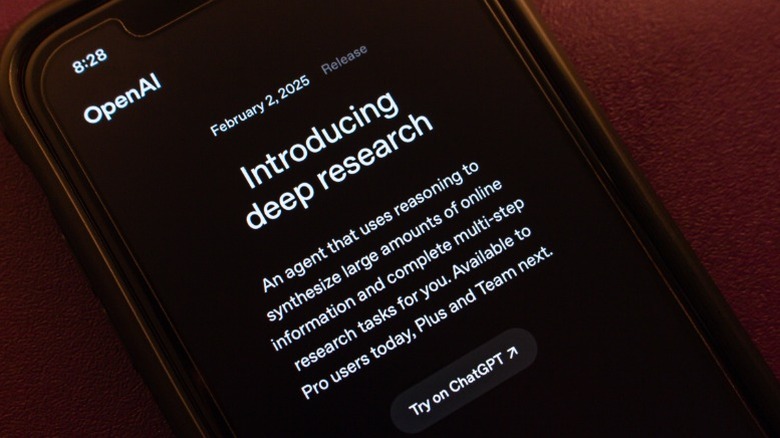
If you're looking for answers to things you can never get wrong, consider using Deep Research. This is one feature of ChatGPT that you shouldn't ignore. Deep Research queries take much longer to process, but they limit the AI chatbot to only refer to trusted sources and academic papers. This feature is also available on other platforms such as Gemini and Claude.
Alternatively, you can upload a document and ask the AI chatbot to skim it and answer your questions. Again, you should be careful if your AI model starts misquoting information from random blogs or social media posts. I also noticed that as conversation threads got longer, the accuracy of the responses decreased significantly. If you encounter this issue, consider starting a new chat and pasting the instruction prompt again.


