The Snowpark library allows users to run machine learning (ML) data experiments in data environments such as Snowflake. However, tracking these experiments across different environments can be difficult due to the difficulty of maintaining a central repository for monitoring experiment metadata, parameters, hyperparameters, models, results, and other related information. This post shows how to integrate MLflow, managed by Amazon SageMaker, as a central repository to provide an integrated system for recording these experiments and monitoring their progress.
Amazon SageMaker Managed MLflow provides fully managed services for experiment tracking, model packaging, and model registries. The SageMaker Model Registry streamlines model versioning and deployment, facilitating a seamless transition from development to production. Additionally, integration with Amazon S3, AWS Glue, and SageMaker Feature Store enhances data management and model traceability. The key benefits of using MLflow with SageMaker are that organizations can standardize ML workflows, improve collaboration, and accelerate artificial intelligence (AI)/ML adoption with a more secure and scalable infrastructure. This post shows how to integrate MLflow managed by Amazon SageMaker with Snowflake.
Snowpark allows you to create custom data pipelines in Python, Scala, or Java for efficient data manipulation and preparation when storing training data in Snowflake. Users can run experiments in Snowpark and track them in MLflow, managed by Amazon SageMaker.. This integration enables data scientists to perform transformations and feature engineering in Snowflake and leverage managed infrastructure within SageMaker for training and deployment, facilitating more seamless workflow orchestration and more secure data processing.
Solution overview
This integration leverages Snowpark for Python, a client-side library that allows Python code to interact with Snowflake from Python kernels such as SageMaker's Jupyter notebooks. One workflow might include data preparation in Snowflake, as well as feature engineering and model training within Snowpark. MLflow, managed by Amazon SageMaker, can be used for experiment tracking and model registries that integrate with SageMaker functionality.
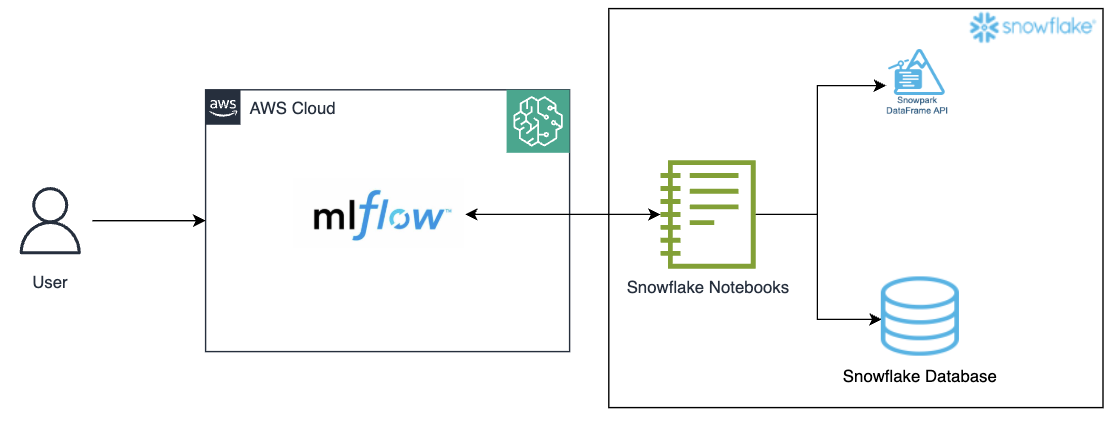
Figure 1: Architecture diagram
Capture important details with MLflow Tracking
MLflow tracking important in the integration between sage maker, snow park, and snowflake Provides a centralized environment to log and manage the entire machine learning lifecycle. Because Snowpark processes data from Snowflake to train your model, you can use MLflow Tracking to capture key details such as model parameters, hyperparameters, metrics, and artifacts. This allows data scientists to monitor experiments, compare different model versions, and verify reproducibility. and MLflow version control and logging featuresteams can seamlessly trace results back to specific datasets and transformations, making it easy to track model performance over time and maintain transparent and efficient ML workflows.
This approach has several advantages. This enables a scalable and managed MLflow tracker. sage makerWhile utilizing the processing power of snow park Create a unified data system for model inference within the Snowflake environment. Workflows remain within the Snowflake environment, increasing data security and governance. Additionally, this setup helps reduce costs by leveraging Snowflake's flexible computing power for inference without maintaining a separate infrastructure for model serving.
Prerequisites
Before establishing Amazon SageMaker MLflow, create/configure the following resources and verify access to the aforementioned resources.
- snowflake account
- S3 bucket for tracking experiments in MLflow
- Amazon SageMaker Studio Account
- An AWS Identity and Access Management (IAM) role that is an Amazon SageMaker domain execution role in your AWS account.
- A new user with permissions to access the S3 bucket created above. Please follow the steps below.
- Verify access to your AWS account through the AWS Management Console and the AWS Command Line Interface (AWS CLI). Your AWS Identity and Access Management (IAM) user must have permissions to make the necessary AWS service calls and manage the AWS resources described in this post. Follow the principle of least privilege when granting permissions to IAM users.
- Follow these steps to configure access to the Amazon S3 bucket created above.
- Follow these steps to set up external access to your Snowflake Notebook.
Steps to call SageMaker's MLflow Tracking Server from Snowflake
Next, establish your Snowflake environment and connect it to the Amazon SageMaker MLflow Tracking Server you set up earlier.
- Follow these steps to create an Amazon SageMaker managed MLflow Tracking Server in Amazon SageMaker Studio.
- Log in to Snowflake as an administrator user.
- Create a new notebook in Snowflake
- Projects > Notebooks > +Notebooks
- Change role to non-administrator role
- Give it a name, select your database (DB), schema, warehouse, and select Run in Container.

- Notebook Settings > External Access > Toggle to allow all integrations
- Installing the library
!pip install sagemaker-mlflow
- Run the MLflow code by replacing the arn value in the code below.

Figure 3: Installing the sagemaker-mlflow library
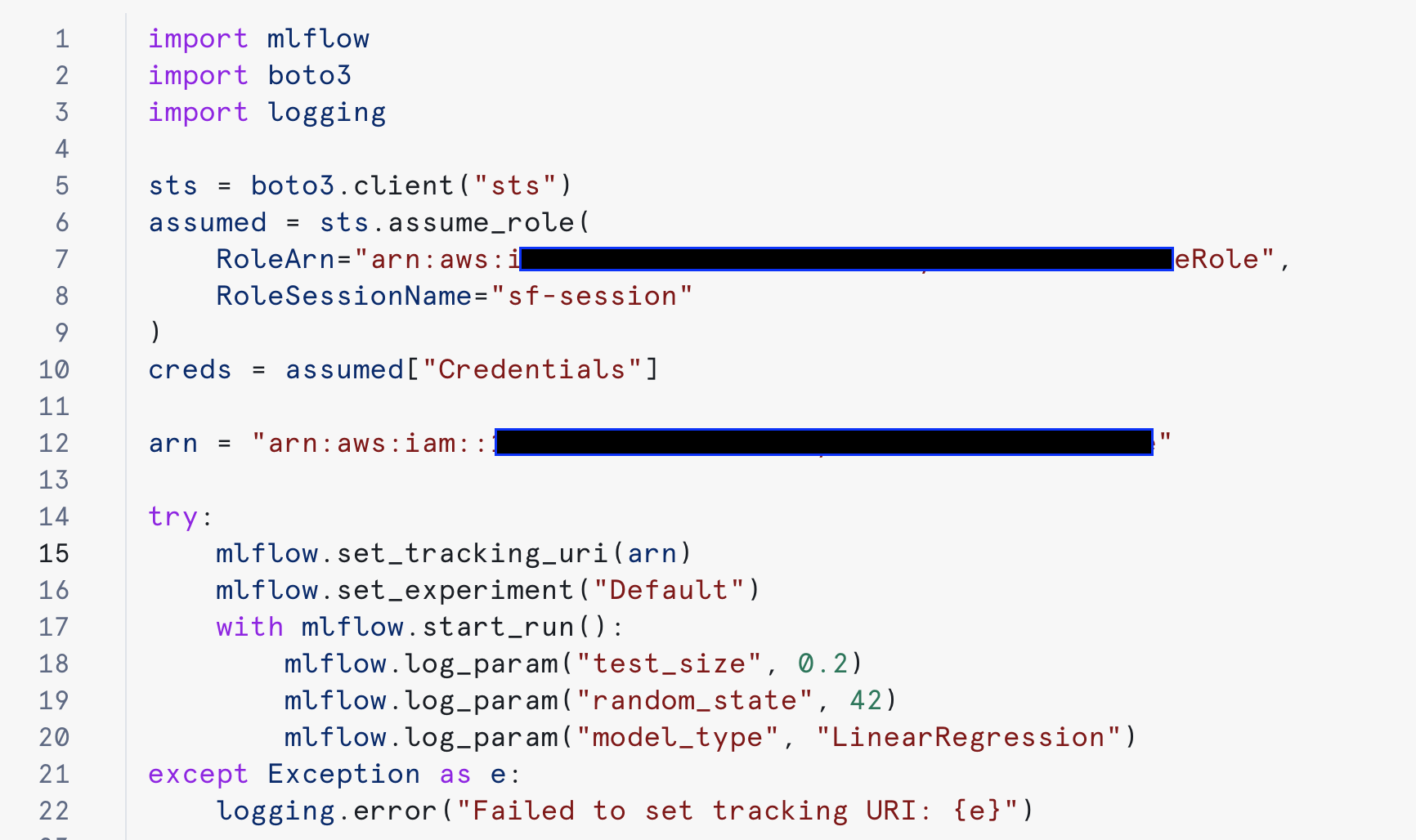
Figure 4: Configuring MLflow to perform experiments.
After a successful run, you can track your experiment in Amazon SageMaker.
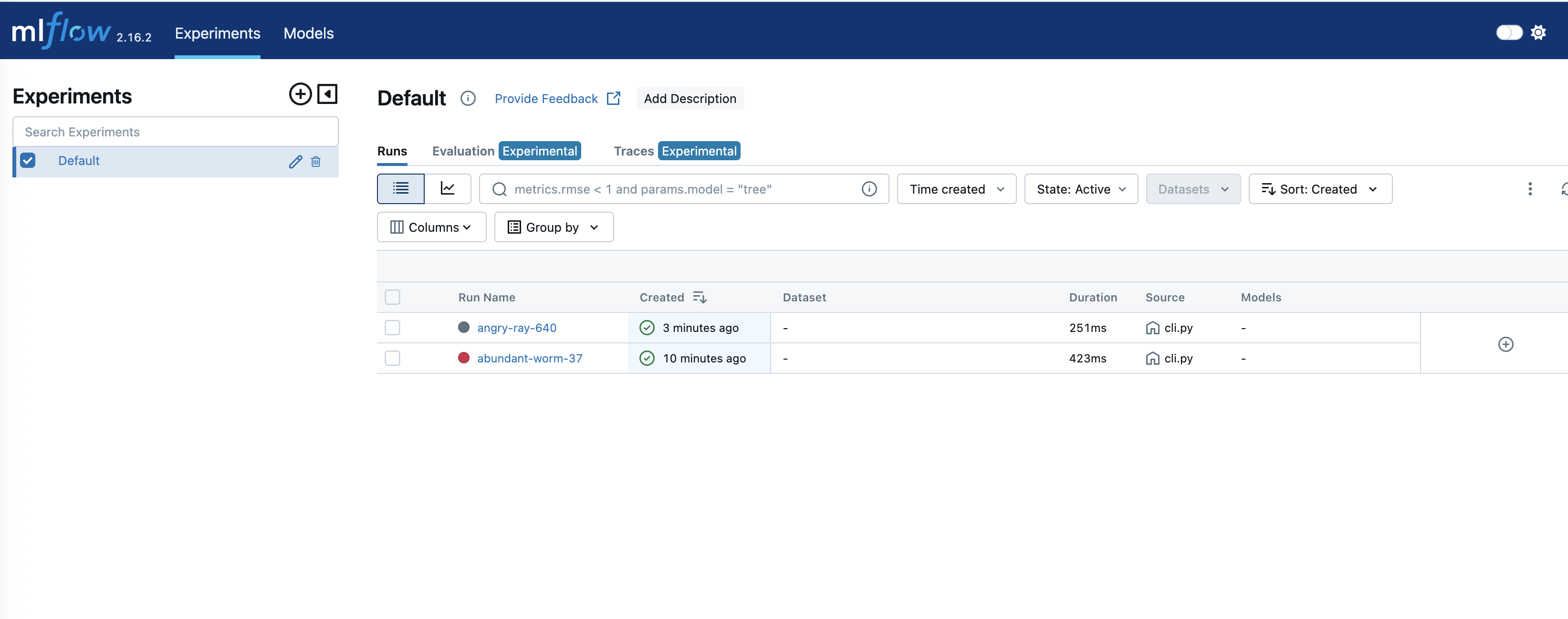
Figure 5: Tracking experiments in SageMaker MLflow
To see the details of an experiment, click on the respective 'Run Name:'.
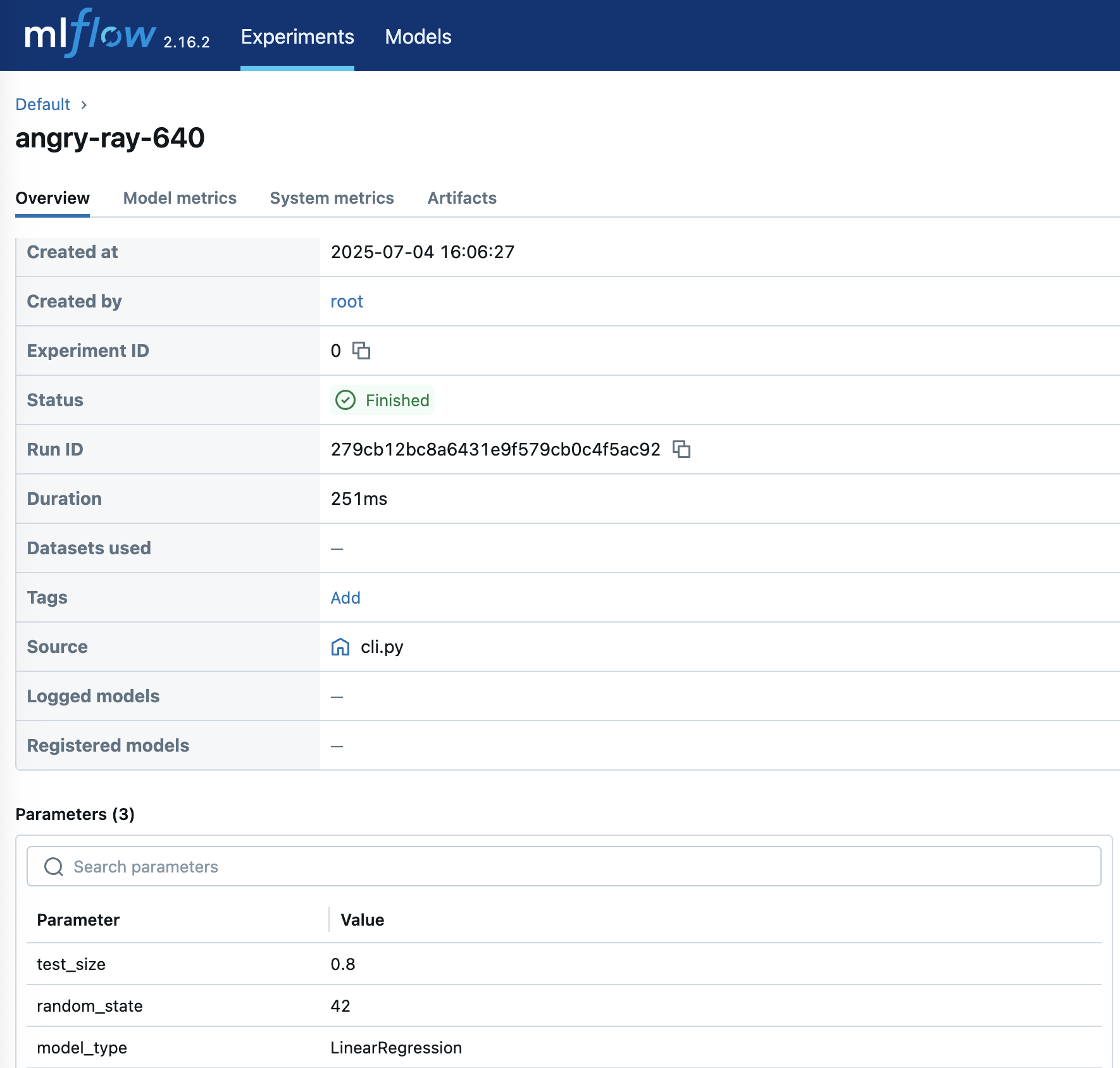
Figure 6: Experience detailed experiment insights
cleaning
Follow these steps to clear the resources configured in this post to avoid ongoing costs.
- Follow these steps to delete your SageMaker Studio account. This will also remove the MLflow tracking server.
- Delete the S3 bucket and its contents
- Drop a Snowflake notebook
- Verify that your Amazon SageMaker account has been deleted
conclusion
In this post, we explored how MLflow managed by Amazon SageMaker can provide a comprehensive solution for managing the machine learning lifecycle. Integration with Snowflake through Snowpark further powers this solution and helps enable seamless data processing and model deployment workflows.
To get started, follow the step-by-step instructions above to set up MLflow Tracking Server in Amazon SageMaker Studio and integrate it with Snowflake. Be sure to follow AWS security best practices by implementing appropriate IAM roles and permissions and properly securing all credentials.
The code samples and instructions in this post serve as a starting point. These can be adapted to suit specific use cases and requirements while maintaining best practices for security and scalability.
About the author
 Ankit Mathur As a Solutions Architect at AWS, I focus on modern data platforms, AI-driven analytics, and AWS and partner integration. He helps customers and partners design secure, scalable architectures that deliver measurable business outcomes.
 mark huber As a Senior Solutions Architect at AWS, I'm focused on helping customers build their ideas in the cloud. He has partnered with many enterprise clients to transform complex business strategies into innovative solutions that drive long-term growth.