

This post was originally published on the Adobe Blog on November 5, 2025.
Inside the NVIDIA Studio booth at MAX (part concert, part creative lab), some of the more than 11,000 conference attendees gathered to create unique crowdsourced music videos. This music video was expertly produced using original tracks created by NVIDIA’s in-house video and sound teams and brought to life by hundreds of creative voices.
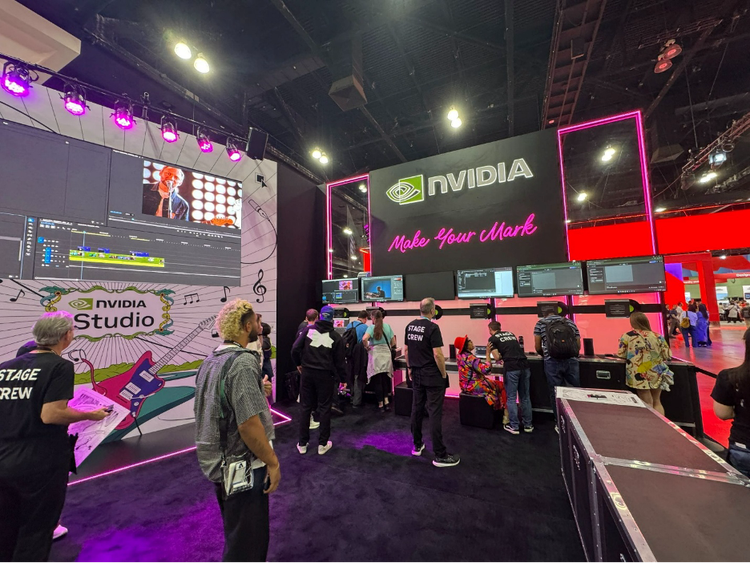
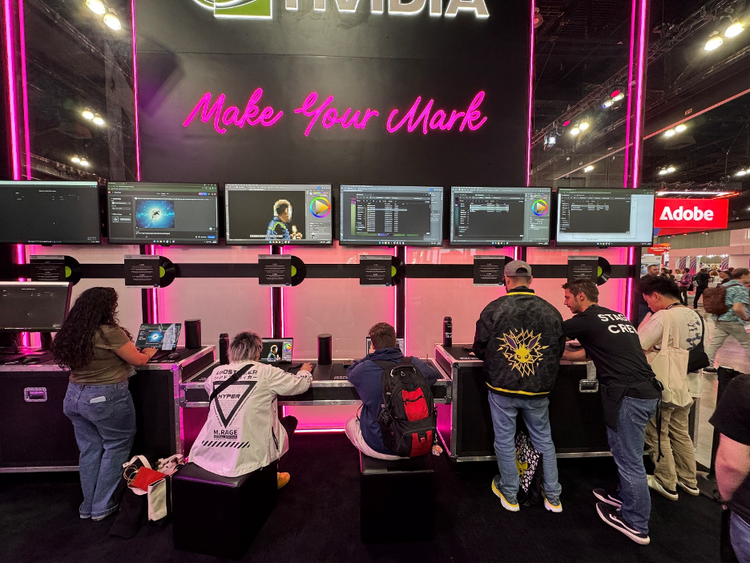
Visitors to the NVIDIA booth were challenged to make their own impression by customizing still frames in Adobe Photoshop or video clips in Adobe Premiere, adding their own colors, motion, and style. Every post evolves throughout the three-day event and is instantly woven into a growing community-built music video, living proof of what happens when artistry meets GPU and AI acceleration.
And of course, no festival experience is complete without souvenirs. Attendees took home a custom clip in a USB bracelet, along with a limited edition NVIDIA Studio concert poster, sketchpad, and pencil. Camera flashes turned the booth into a social highlight for MAX as creators posed with clapperboards and shared their masterpieces under the event’s hashtag #MadeWithRTX.
AI stole the show
AI has made headlines, but it’s not taking the lead, it’s powering the process. Accelerated by NVIDIA GeForce RTX GPUs, Adobe’s creative AI tools help spark ideas, speed workflows, and bring creators’ boldest concepts to life. Think of this technology as your creative sidekick, helping you do more of what you love, faster.
Attendees tried out Premiere’s many AI features, including effects like neural filters and color matching to create a fresh new feel to video footage, and noise reduction to sharpen footage.
Other popular features include Scene Edit Detection, which uses AI to instantly identify cuts in flattened clips, turning tedious timeline cleanup into a one-click task, and AI Auto Reframe, which automatically reformats your video for vertical, square, or widescreen playback in just seconds.
Photoshop fans took advantage of the Generative Fill and Generative Expand AI features that let you create or expand any image with a simple text prompt. The AI Remove tool, which uses AI segmentation to precisely remove distractions, was also popular.
Behind the scenes of NVIDIA GeForce RTX
Participants modified frames and clips on laptops equipped with GeForce RTX 50 series GPUs. Dedicated GeForce RTX hardware with GPU acceleration is perfect for getting the best performance from Adobe apps and features, especially Premiere and Photoshop.
One of the latest innovative advances in Premiere is support for 4:2:2 decoding. It provides twice the color information as the common 4:2:0 color format, but only increases the raw file size by 30%. This greatly improves color grading and chroma keying while maintaining text quality. Support for GeForce RTX 50 series GPUs delivers 11x faster speeds.
Equipped with GeForce RTX 50 Series GPUs, editors can work directly with RAW files using purpose-built 6th generation NVDEC, eliminating the need to create proxies and saving time. The 9th generation NVENC has multiple encoders working in parallel to increase throughput, making exports significantly faster, allowing you to export Premiere footage up to 5x faster than using the CPU alone.
AI-accelerated effects also run faster on GeForce RTX 50 Series GPUs. For example, Media Intelligence uses AI to analyze footage and apply semantic tags to clips. This allows users to more easily and quickly find specific footage by describing content such as objects, locations, camera angles, and even transcribed spoken words. Media Intelligence runs 30% faster on GeForce RTX 5090 laptop GPUs compared to the previous generation.
Adobe’s Audio Enhancement feature improves the quality of recorded audio by removing unwanted noise and making audio clearer. Enhance Speech runs 7x faster on GeForce RTX 5090 laptop GPUs compared to other leading chips.
Graphic designers can also benefit from a plethora of AI-powered features available in Photoshop, Adobe Illustrator, and other Adobe apps. All of these are essential to modern graphic design workflows. Photoshop’s Super Resolution, which uses AI to quadruple the number of pixels in images, runs 43% faster on GeForce RTX 5090 laptop GPUs compared to the competition.
Additionally, the object selection tool, which allows artists to select people and their details (hair, clothing, accessories, etc.) without the painstaking task of manual masking, runs 18% faster on GeForce RTX 5090 laptop GPUs compared to other chip manufacturers.
Built for creators and designed to inspire
All GeForce RTX Series 50-powered laptops are equipped with the NVIDIA Studio platform, which is optimized to accelerate content creation using the latest software and hardware technologies. This includes RTX AI features such as NVIDIA OptiX and DLSS for 3D rendering, NVIDIA Broadcast for live streaming, and RTX video effects, as well as RTX-only multi-encoding for video editing.


